FXO, FXS or E1 gateway in Morocco: connecting analogue lines, fax and door phones to a 3CX, Yeastar or Grandstream IP PBX
FXO or FXS, E1 PRI, T.38 fax, door phones, alarms: how to connect legacy lines to a 3CX, Yeastar or Grandstream PBX with Dinstar, OpenVox, Grandstream or Yeastar.
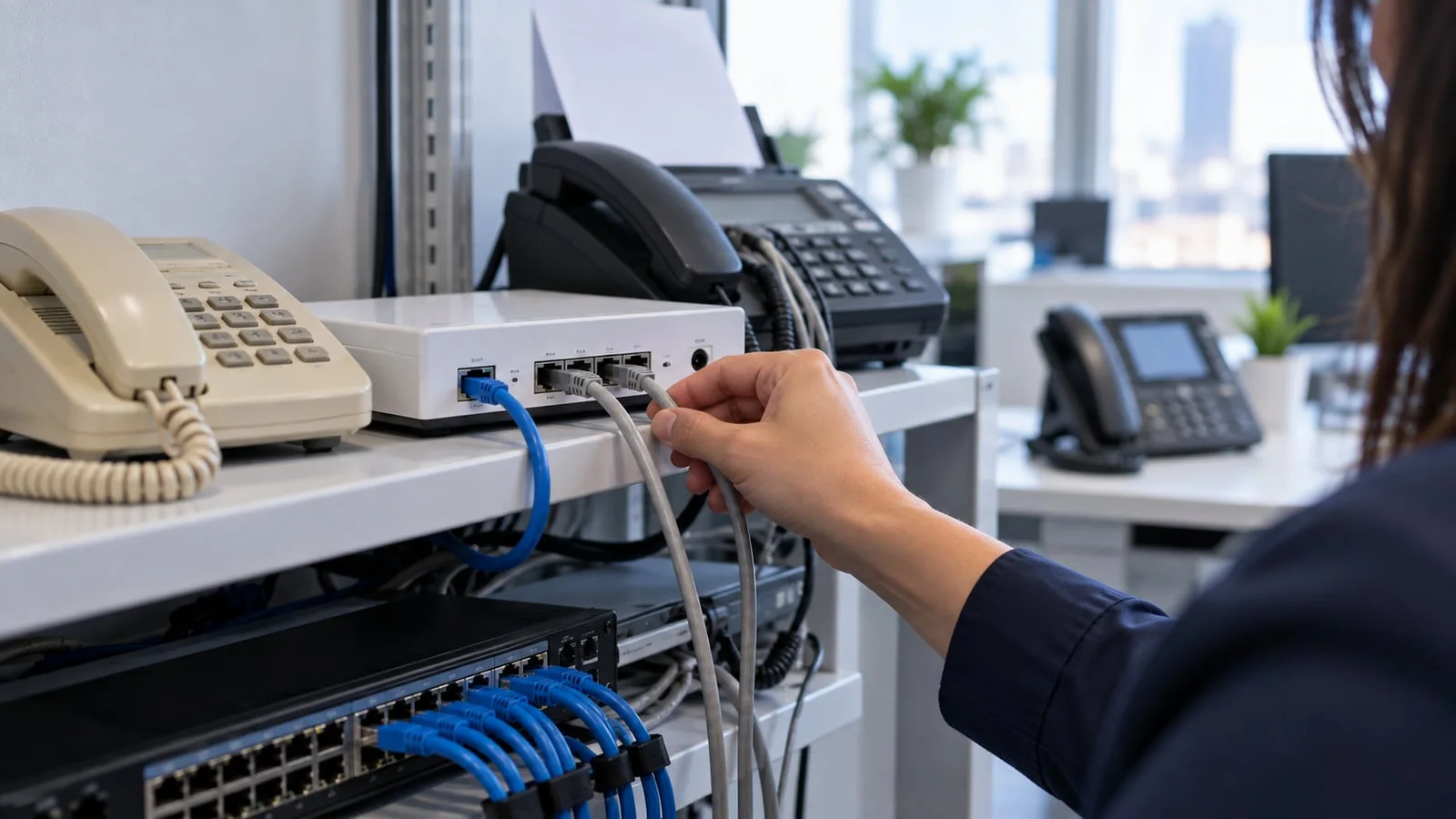
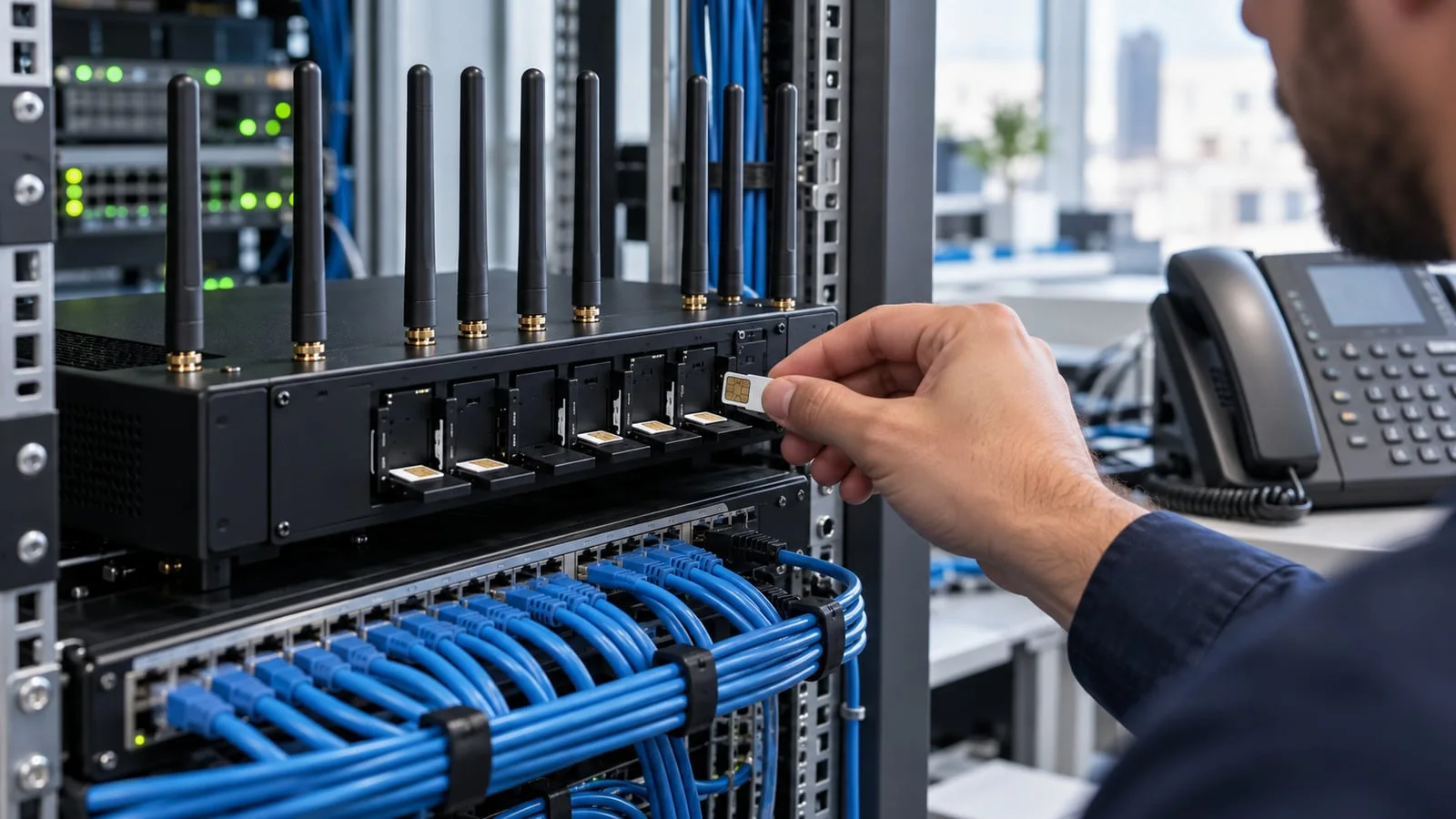
The short answer: an FXO gateway connects the analogue lines supplied by your carrier to your IP PBX, an FXS gateway connects your analogue devices (fax, door phone, old handset, lift phone) to the IP PBX, and an E1 gateway connects a primary digital link, usually called PRI. So the right choice does not start with a brand, but with an inventory: which lines are you keeping, which devices, and for how long. Only then do you choose between Grandstream, Yeastar, Dinstar or OpenVox, and check whether a SIP trunk would simplify the whole thing.
At ALLSAFE SOLUTIONS, we install and integrate these gateways with 3CX, Yeastar and Grandstream phone systems in Casablanca and across Morocco, as an official 3CX partner, a Yeastar certified partner and a Grandstream integrator. We also install and configure Dinstar and OpenVox gateways. We supply hardware and licences to businesses, with or without installation; we are not a distributor. Every capacity quoted here comes from datasheets published by the vendors; we do not give prices.
FXO and FXS explained simply
Mixing up FXO and FXS is the number one cause of wrong orders. Remember a single rule: who provides the dial tone?
- FXS port (Foreign eXchange Station): it provides dial tone, ringing and power. You plug a device into it: analogue phone, fax machine, door phone, lift phone, or an old PBX expecting a line.
- FXO port (Foreign eXchange Office): it expects dial tone. You plug a line into it: the carrier’s analogue line, or an extension from an old PBX you want to link to the new IP PBX during a migration.
| What you want to keep | Port type | Example gateway |
|---|---|---|
| Carrier analogue lines (existing numbers) | FXO | Grandstream HT841/HT881, Yeastar TA410/810/1610, Dinstar DAG1000-xO, OpenVox iAG800 V2-xO |
| Fax, door phones, old analogue handsets | FXS | Grandstream HT8xx or GXW42xx, Yeastar TA400 to TA3200, Dinstar DAG1000-xS / DAG2000, OpenVox iAG800 V2-xS |
| Both, on a small site | FXS + FXO | Grandstream HT813, Dinstar DAG1000-4S4O, OpenVox iAG800 V2-2S2O or 4S4O |
| Primary digital link (PRI, E1) | E1 | Yeastar TE100/TE200, Dinstar MTG200/MTG1000, OpenVox DGW series |
A classic trap: plugging a fax machine into an FXO port. The fax expects dial tone, so does the FXO port; nothing happens. Another trap: assuming a software PBX such as 3CX connects directly to a copper line. 3CX has no physical ports; it needs a SIP trunk or a gateway.
When do you need a gateway?
It depends on the IP PBX you choose.
- 3CX is software, on a server or in the cloud. Every analogue line, every E1 link and every analogue device goes through a SIP gateway. It is clean and simple, provided the gateway is sized correctly. See why 3CX wins in SMBs.
- Grandstream UCM has, depending on the model, 0 to 8 FXO ports and as many FXS ports. Beyond that, or with a model that has no analogue ports, you add a gateway. See which Grandstream UCM to choose.
- Yeastar P-Series offers, on some hardware models, slots for analogue modules. For larger volumes or a remote site, a TA gateway remains more flexible. See which Yeastar P-Series model to choose.
A gateway is also worth having even when the IP PBX has built-in ports: it can sit where the lines or devices arrive (comms room, building entrance, remote branch), and talk SIP to an IP PBX located elsewhere or in the cloud.
The ranges we install
Grandstream: HT8xx and GXW
According to Grandstream’s datasheets:
- HT801 and HT802: 1 or 2 FXS ports, for a single fax or handset.
- HT812, HT814, HT818: 2, 4 or 8 FXS ports.
- HT813: 1 FXS port and 1 FXO port, handy for a small branch.
- HT841 and HT881: 4 or 8 FXO ports plus 1 FXS port, the current FXO range.
- GXW4104 and GXW4108: 4 or 8 FXO ports, still widely found in existing installations.
- GXW4216, 4224, 4232, 4248: 16, 24, 32 or 48 FXS ports, for a hotel, clinic or building keeping many analogue handsets.
The HT8xx models list T.38 fax, TLS/SRTP encryption and automatic provisioning. Grandstream does not offer an E1 gateway: for a primary link, you turn to the other ranges.
Yeastar: TA and TE
According to Yeastar’s datasheets:
- TA FXS: TA400 (4 ports), TA800 (8), TA1600 (16), TA2400 (24), TA3200 (32), with T.38 and pass-through fax.
- TA FXO: TA410 (4 ports), TA810 (8), TA1610 (16).
- TE100 and TE200: 1 or 2 E1/T1/J1 ports, up to 30 or 60 concurrent calls, with PRI, MFC R2, SS7 and E&M signalling.
With a Yeastar phone system, administration stays consistent and support comes from a single vendor, which matters for small IT teams.
Dinstar: DAG and MTG
According to Dinstar’s documentation:
- DAG1000: small FXS (DAG1000-4S, 8S), FXO (4O, 8O, 16O) or mixed (4S4O) gateways.
- DAG2000: 16, 24 or 32 FXS ports, with T.38 and pass-through fax, TR-069 and SNMP.
- MTG200 and MTG1000: digital E1/T1 gateways, 1 to 4 E1 ports for the MTG200 and 1 or 2 ports for the MTG1000-2 (dual power supply), up to 60 concurrent calls according to the datasheet.
- MTG2000B: 4 to 16 E1/T1 ports in a high-availability version, for large call centres.
Dinstar is known for broad SIP compatibility, which makes it a frequent choice in front of 3CX.
OpenVox: iAG and DGW
According to OpenVox’s datasheets:
- iAG800 V2: six models, 4S or 8S (FXS), 4O or 8O (FXO), 2S2O or 4S4O (mixed). On FXO ports, the datasheet lists polarity reversal detection, useful to know when the caller hangs up; fax is T.38 or pass-through.
- DGW-300X series: 1, 2 or 4 E1/T1/PRI ports, 30 to 120 concurrent calls, with failover bypass and redundant power.
OpenVox is Asterisk-based and lists compatibility with 3CX, Asterisk and FreeSWITCH, among others.
E1, PRI, “T2”: what are we talking about?
An E1 link is a digital line carrying 30 voice channels on a single pair, with signalling (PRI in most cases, sometimes R2). In French-speaking markets it is often called “T2”. You find it in companies with an older PBX and significant call volume, often with a block of direct dial-in (DDI) numbers.
An E1 gateway connects to the carrier’s termination on one side and talks SIP to the IP PBX on the other. All direct numbers stay live, inbound calls are routed to the right extensions, and the IP PBX only sees a local SIP trunk. It is the safest way to replace the old PBX without touching the carrier contract.
Three points to prepare with the carrier before cutover: the signalling used (PRI or R2), the number format presented, and the DDI number block. Prepared properly, they make for a cutover without surprises.
Gateway or SIP trunk: our honest view
| Situation | Our recommendation |
|---|---|
| Analogue lines under contract, numbers known to your customers | FXO gateway, then a SIP trunk when the contract ends |
| Recent E1 link or contract still running | E1 gateway to the IP PBX |
| New site, or SIP offer available from your carrier | SIP trunk directly, no gateway |
| Continuity needed if the internet goes down | SIP trunk as primary, an analogue line or a GSM/4G link as backup via a gateway |
| Fax still used daily | FXS gateway with T.38, or fax to email on the IP PBX |
In the long run, a SIP trunk is almost always simpler: no extra hardware, more channels on demand, and centralised number management. We cover number retention in SIP trunk: keep your business numbers. For cellular backup, see our article on GSM and 4G gateways with OpenVox, Dinstar and Yeastar.
Fax, door phones, alarms, card terminals, lifts: case by case
- Fax: on an FXS port with T.38 enabled on the gateway, the IP PBX and the trunk. If the fax is only used to receive, the IP PBX’s fax to email often removes the need for the machine.
- Analogue door phone: on an FXS port, checking the door-release command (DTMF code) from the handset. If the door phone is due for replacement, a SIP door phone integrates directly with the IP PBX.
- Lift phone: this is safety equipment. We keep it on a dedicated line, or on a gateway backed by a UPS with a cellular link, after checking with the lift maintenance company.
- Alarm and card terminal: they communicate with tones that do not travel well over IP. We recommend an IP or cellular communicator and an IP or 4G card terminal.
- Old PBX: during a phased migration, an FXO or E1 gateway links the old and new systems so both sets of users can reach each other by short number.
How to choose your gateway: our method
- Inventory every analogue line and device: number, use, frequency, physical location.
- Decide what stays analogue, what moves to a SIP trunk and what goes away (fax to email, SIP door phone).
- Pick the port type: FXO for lines, FXS for devices, E1 for a primary link.
- Count ports and concurrent calls, with headroom for growth.
- Choose the range to match the IP PBX: Yeastar TA/TE with Yeastar, HT/GXW with a UCM, Dinstar or OpenVox with 3CX, always checking the stated compatibility.
- Check the network: voice VLAN, QoS, UPS-backed power, and SIP ALG disabled, see 10 mistakes that ruin call quality.
- Test every line and device before cutover: inbound, outbound, caller ID, hang-up detection, fax.
Gateway mistakes we fix
- FXO and FXS swapped on the order: the hardware is useless as is.
- Hang-up not detected on an FXO line: the call stays open on the IP PBX. Polarity reversal or busy tone detection must be configured.
- Echo on analogue lines, because gains and echo cancellation were never tuned.
- Fax over G.711 without T.38, failing at the first lost packet.
- Default password left in place and the web interface reachable from the internet: an open door to toll fraud.
- Gateway with no backup power while the lift or emergency line runs through it.
Checklist before ordering
- List of analogue lines to keep, with their numbers and use.
- Whether there is an E1 link, its signalling (PRI or R2) and its DDI block.
- List of analogue devices: fax, door phones, lifts, old handsets.
- Target IP PBX: 3CX, Yeastar or Grandstream, on premises or in the cloud.
- Location of lines and devices, and UPS-backed power available.
- Plan for moving to a SIP trunk when contracts end.
How we do it
We start with a free audit of your lines, your analogue devices and your network. We tell you what to keep, what can move to a SIP trunk and what can go, then choose the gateway that fits your IP PBX, supplied with or without installation. We prepare the configuration, test every line and device, and cut over at a time that suits you. After go-live, the IP PBX, the gateways and the lines are monitored 24/7, and a critical incident is handled in under 15 minutes.
To place the gateway within a full project, read our guide to business IP phone systems in Morocco and our article on migrating to IP telephony, then explore our IP telephony offering. Request your free initial audit: we reply within 24 business hours with a costed recommendation.
Frequently asked questions
What is the difference between FXO and FXS?
An FXO port plugs into a line that provides dial tone, the carrier’s line: it connects that line to the IP PBX. An FXS port provides dial tone and power to an analogue device: it connects a fax, door phone or old handset to the IP PBX. To keep a line, use FXO; to keep a device, use FXS.
Can we keep our analogue line numbers when moving to IP telephony?
Yes. With an FXO gateway, the lines stay with your carrier with their numbers, and the IP PBX uses them to make and receive calls. If you later move to a SIP trunk, number retention is negotiated with the carrier; we check this with them before any cutover.
Does fax work through a VoIP gateway?
Yes, provided you use T.38, the protocol designed for fax over IP, and it is supported end to end: gateway, IP PBX and carrier. The ranges covered here list T.38 on their FXS ports in their datasheets. Without T.38, fax travels as G.711 and becomes sensitive to the slightest packet loss.
Is an E1 gateway still useful if the carrier offers a SIP trunk?
It remains useful when the digital link contract is still running, when you want to keep that link as a backup to a SIP trunk, or when the IP PBX has no E1 port. If a SIP trunk is available at your site and the contract allows it, it is usually the simplest long-term route.
Can an alarm panel or card terminal be connected to an FXS gateway?
Technically yes, but we advise against it for security and payment: these devices send data as tones, which do not cope well with compression and jitter on an IP network. We prefer an IP or cellular communicator for the alarm and an IP or 4G card terminal, after checking with the monitoring company or the bank.
About the editorial team
ALLSAFE SOLUTIONS
Network, security and cloud engineers
Written by the engineering team at ALLSAFE SOLUTIONS, a managed IT provider founded in Casablanca by network, security and cloud engineers. Our articles draw on the projects we deliver for clients in Morocco and abroad.
LinkedIn