Business IP phones in Morocco: Grandstream, Yealink or Fanvil, which phone for whom?
Grandstream GRP, Yealink T5x, Fanvil X, DECT, Wi-Fi, video, headsets and softphones: how to choose the right IP phone for each user profile in Morocco.
The short answer: a business IP phone is chosen first by user profile, then by compatibility with your phone system, and only last by brand. An accountant does not have the same needs as a receptionist, a warehouse operator or a salesperson always on the road. Grandstream, Yealink and Fanvil all offer simple phones, reception phones, DECT handsets and Wi-Fi models. The difference lies in auto-provisioning with your IP PBX, the centralised management console and day-to-day ergonomics.
At ALLSAFE SOLUTIONS, we equip businesses in Casablanca and across Morocco with IP phones, integrating them with 3CX (we are an official 3CX partner), Yeastar (Yeastar certified partner) and Grandstream UCM (Grandstream integrator) phone systems. The specifications quoted in this article come from datasheets and documentation published by the manufacturers; we do not give prices, which vary over time and by supply channel.
The seven criteria that really matter
Before comparing models, here are the points we check for every phone:
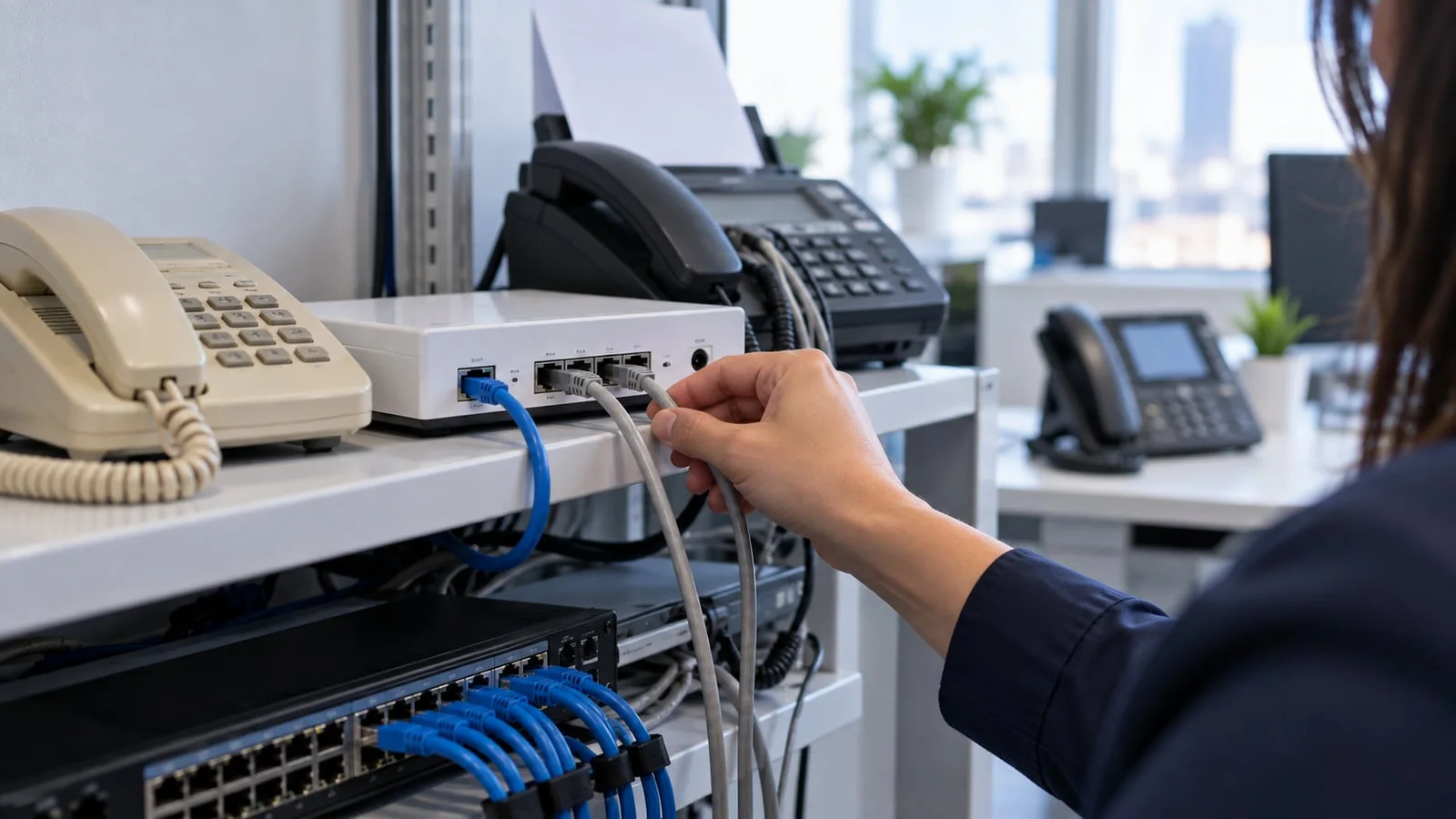
- PoE (power over the network cable): essential to avoid a power adapter on every desk and to keep telephony running on a UPS. Check that your switches are PoE and that the power budget is sufficient, see patch rack and PoE switch.
- Gigabit ports: the PC is often plugged in behind the phone. With a phone limited to 100 Mbit/s, the PC is the one held back. For a workstation, we require two Gigabit ports.
- Screen and readability: a backlit colour screen makes the directory, call history and transfers easier. Pointless on a corridor phone, very useful on a reception phone.
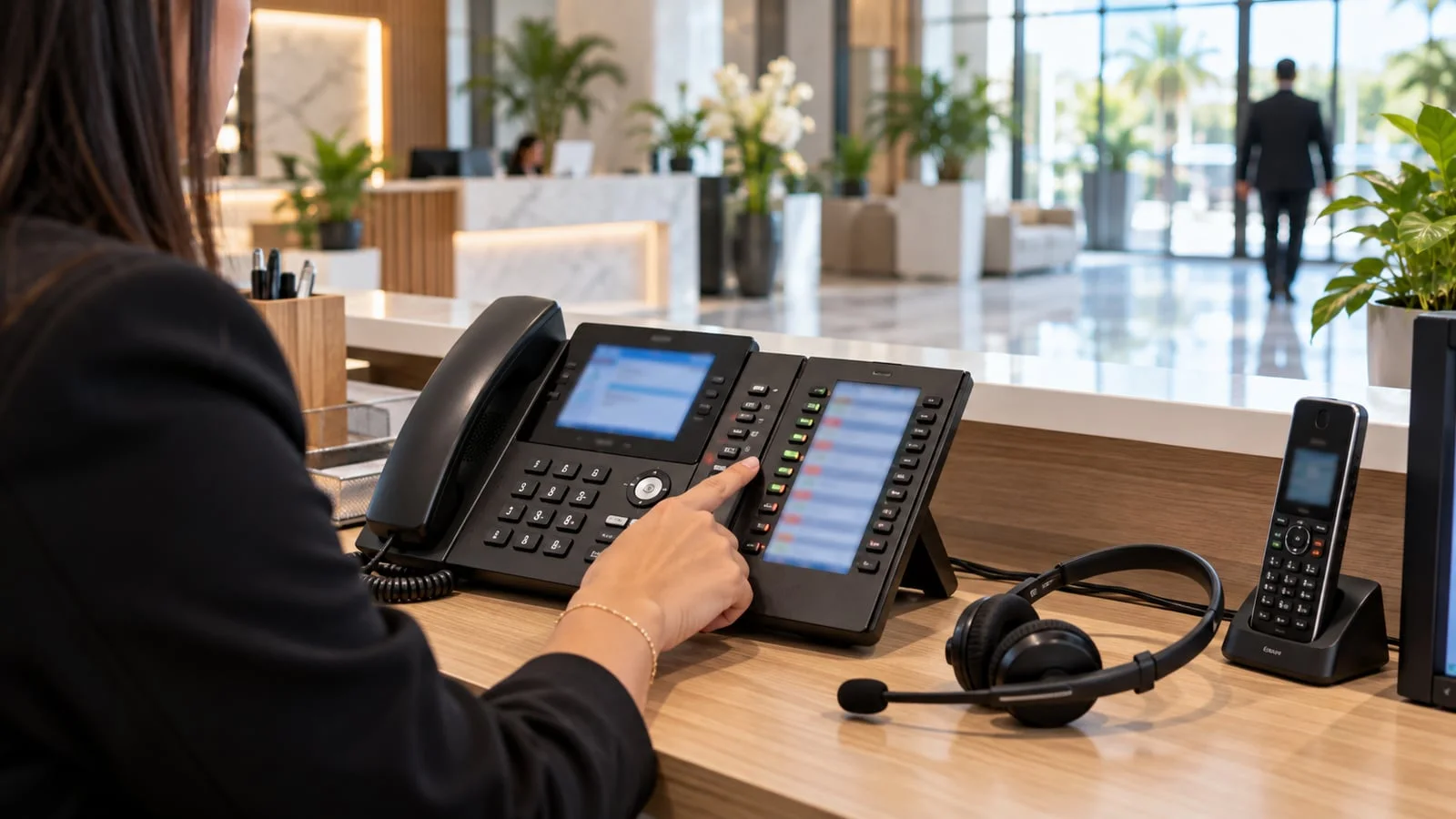
- Programmable BLF keys: they show colleagues’ status (free, on a call, ringing) and allow call pickup or transfer in a single press. This is criterion number one for reception.
- Expansion module port: it adds dozens of BLF keys to a reception phone.
- Auto-provisioning with your IP PBX: the phone configures itself when plugged in. Without it, every phone is set up by hand, and so is every change.
- Centralised management: firmware updates, backup and remote troubleshooting from the manufacturer’s cloud console.
Other options (Bluetooth for the headset, built-in Wi-Fi, USB port, touchscreen) are chosen profile by profile, not across the board.
Grandstream: GRP, GXP, WP and DECT DP
Grandstream covers every profile with a consistent range, and its phones auto-provision on a Grandstream UCM.
- GRP26xx Essential and Professional: the current desk range. The GRP2601 covers simple extensions. According to Grandstream’s datasheet, the GRP2614 offers 4 SIP accounts, two Gigabit ports with PoE, and built-in Wi-Fi and Bluetooth; the GRP2615 adds a 4.3-inch screen, 10 line keys and a port for the GBX20 expansion module. These are our default workstation phones in a Grandstream environment.
- High-end GXP (notably the GXP2170): a larger screen and many BLF keys, designed for reception and operators.
- WP8xx Wi-Fi: WP810 and WP816 for offices and shops, ruggedised WP825 and WP836 for wet or dusty environments.
- DECT DP7xx: DP750, DP752 and DP755 base stations, DP720 to DP735 handsets, DP760 repeater. According to Grandstream, a DP755 base accepts up to 10 handsets and a DP752 up to 5.
- Video: the GXV range offers Android video phones for executives and small meeting rooms.
The whole fleet is managed from GDMS, Grandstream’s free cloud console: provisioning, firmware updates, monitoring and remote troubleshooting.
Yealink: T3x, T4x, T5x and DECT W7x
Yealink is one of the most widespread brands in businesses and one of the best integrated with 3CX, which lists it among its recommended manufacturers.
- T3x series (T31, T33, T34W): entry-level phones for offices and shared extensions.
- T4x series (T43U, T46U, T48U): the classic workstation phone, with a more comfortable screen and models compatible with expansion modules.
- T5x series (T53, T54W, T57W, T58W): the high end. According to Yealink’s datasheets, the T54W has a 4.3-inch colour screen, the T57W a 7-inch touchscreen, and both include Gigabit, PoE, dual-band Wi-Fi and Bluetooth. The Android-based T58W accepts a camera for video calls.
- Expansion modules: EXP50 for the T5x series, EXP43 for the T4x series, to be validated against the exact model.
- DECT W7x: W73P and W76P (W70B base plus handset). According to Yealink, each base accepts up to 10 handsets and up to 6 RT30 repeaters. For large sites, the W80 multi-cell system allows roaming between several bases.
Centralised management runs through YMCS (Yealink Management Cloud Service): deployment, updates, monitoring and remote troubleshooting, with a redirection service (RPS) that points each new phone to its provisioning server.
Fanvil: the X series and beyond
Fanvil is less known in Morocco but offers a very good balance between features and hardware, and it is also among the brands recommended by 3CX.
- X3U: entry-level colour-screen phone, with up to 6 SIP lines according to Fanvil.
- X4U: workstation phone with a main screen and a secondary key display, with up to 12 SIP lines according to Fanvil.
- X6U: three-screen reception phone, with 60 DSS keys and up to 20 SIP lines according to Fanvil.
- X7 and X7A: high-end large-screen phones with a very large number of DSS keys, for operators and executive assistants.
- Fanvil also offers DECT handsets, Wi-Fi phones and a hotel range.
Centralised management runs through FDPS (Fanvil’s provisioning service) and FDMS (device management), which handle remote configuration, deployment and updates.
Which phone for which profile?
| User profile | Main need | Recommended phone type |
|---|---|---|
| Standard office, a few calls a day | Reliability, simplicity | Entry-level PoE phone: Grandstream GRP2601, Yealink T31 or T33, Fanvil X3U |
| Staff on the phone all day | Comfort, headset, Gigabit | Mid-range Gigabit phone with Bluetooth: GRP2614 or GRP2615, Yealink T46U or T54W, Fanvil X4U |
| Reception, operator | See and transfer quickly | Phone with many BLF keys + expansion module: GXP2170 + module, Yealink T54W or T57W + EXP50, Fanvil X6U or X7 |
| Management | Comfort, possibly video | High-end touchscreen or video phone: Yealink T57W or T58W, Grandstream GXV |
| Warehouse, workshop, clinic | Mobility within the building | DECT with repeaters: Grandstream DP7xx, Yealink W7x |
| Retail, logistics on professional Wi-Fi | Mobility on existing Wi-Fi | Wi-Fi phone: Grandstream WP8xx (ruggedised if needed) |
| Salesperson, remote worker | Reachable anywhere | 3CX app, Linkus or Wave + headset |
| Meeting room | Audio conferencing | SIP conference phone from the same brand |
| Corridor, break room, entrance | Occasional calls | Entry-level phone, or SIP intercom for access |
This table is a starting point. In a project, we fill it in with your teams, phone by phone, before any order.
Compatibility with 3CX, Yeastar and Grandstream UCM
This is the most often overlooked point, and the one that costs the most time afterwards.
| Phone system | What we check |
|---|---|
| 3CX | The supported phones list published by 3CX. Yealink and Fanvil appear among the recommended manufacturers, with provisioning and firmware updates from the 3CX console. Some Grandstream models appear with a different support level: check model by model. |
| Yeastar P-Series | The auto-provisioning list published by Yeastar, which includes Yealink, Fanvil and Grandstream among others. Listed models are configured from the Yeastar interface; others use a custom template or manual setup. |
| Grandstream UCM | Grandstream phones auto-provision (“zero config”). SIP phones from other brands remain usable, with more manual configuration. |
Our rule: choose the IP PBX first, then the phones it manages natively. Mixing brands is possible, but each additional brand multiplies configuration templates, firmware to track and troubleshooting procedures. To choose the phone system itself, read 3CX, Yeastar or Teams Phone and our Yeastar P-Series guide.
The reception phone: where the first impression is made
Reception is the extension that deserves the most attention. A receptionist must see at a glance who is free, transfer a call with one key, pick up a colleague’s ringing phone and park a call. In practice:
- A large-screen phone with coloured BLF keys, rather than a standard desk phone.
- One or two expansion modules if the company has many extensions to monitor.
- A headset to keep hands free.
- A software operator console as a complement if the phone system offers one (3CX, Linkus Desktop, Wave), to drag and drop calls.
The phone does not do everything: queues, the IVR menu and overflow rules matter just as much. We cover them in call handling, queues and IVR.
DECT for warehouses, workshops and clinics
As soon as staff move around a building, DECT becomes the most reliable solution. It uses its own radio band, does not depend on Wi-Fi, and each base simply connects to the network like an IP phone. To size it properly:
- On-site radio survey: thick walls, metal shelving, floors and cold rooms strongly attenuate the signal.
- Handsets per base and concurrent calls per base, to be read on the manufacturer’s datasheet.
- Repeaters to extend coverage, or a multi-cell system if several bases must hand over as the user moves.
- Ruggedised handsets (water and dust resistant) for workshops and wash areas.
Wi-Fi phones have their place in a shop or warehouse already equipped with professional Wi-Fi designed for voice, see high-density enterprise Wi-Fi. Without that prerequisite, drop-outs while moving are frequent.
Headsets and softphones: the extension that is not a phone
For many profiles, the best extension is an app and a good headset.
- 3CX app for Windows, Mac, browser, Android and iOS, with presence, chat and transfers.
- Yeastar Linkus, in desktop, web and mobile versions.
- Grandstream Wave, which also gives access to UCM meetings.
For headsets, we distinguish three uses: wired USB for a PC softphone, Bluetooth to switch between desk phone and smartphone, DECT for reception staff who need to stand up without dropping the call. A noise-cancelling headset changes the quality the caller perceives in an open-plan office. For contact centres, see call center with 3CX in Morocco.
The mistakes we fix on IP phones
- 100 Mbit/s phones with the PC plugged in behind: the user’s network is throttled.
- Switches without PoE: an adapter on every desk, and telephony down as soon as the power goes.
- A desk phone at reception, without enough BLF keys: the receptionist transfers blind.
- Firmware never updated or managed from a central console.
- Phone web interface left with the default password.
- No voice VLAN or QoS, a classic cause of choppy audio, see the 10 mistakes that ruin call quality.
- Three brands on one site, for lack of a purchasing rule.
Checklist before ordering your IP phones
- List of users by profile (office, reception, mobile on site, travelling, meeting room).
- Chosen IP PBX and manufacturer compatibility list checked model by model.
- PoE switches, power budget and UPS.
- Cabling: one network outlet per phone, or PC plugged in behind the phone at Gigabit.
- Voice VLAN, QoS and firewall configured.
- Radio survey for DECT or Wi-Fi validation for wireless phones.
- Headsets chosen by use.
- Centralised management console (GDMS, YMCS or FDPS) and update procedure.
How we work
We start with a free audit of usage, cabling and the network. We then draw up the list of phones by profile, favouring models natively managed by your phone system, and supply the hardware and licences, with or without installation. Phones are auto-provisioned, linked to the manufacturer’s console, secured (passwords changed, admin access restricted) and tested one by one. After go-live, telephony is monitored 24/7 and a critical incident is handled in under 15 minutes.
For a full project, read our business IP phone system guide for Morocco and how to migrate to IP telephony, then discover our IP telephony offer. Request your free initial audit: we reply within 24 business hours with a phone proposal tailored to each profile.
Frequently asked questions
Which IP phone brand should I choose in Morocco: Grandstream, Yealink or Fanvil?
All three are serious SIP brands. The right choice mostly depends on the IP PBX: with a Grandstream UCM, Grandstream phones provision effortlessly; with 3CX, Yealink and Fanvil are among the vendor’s recommended brands; with Yeastar, all three are on the auto-provisioning list, to be checked model by model.
Do IP phones need PoE switches?
It is strongly recommended. With PoE, the phone is powered over the network cable: no power adapter on every desk, and a UPS on the switch keeps telephony running during a power cut. Without PoE, you need one power supply per phone, often sold separately.
DECT or Wi-Fi phones for a warehouse or a clinic?
DECT is our default choice: it has its own radio band, does not depend on Wi-Fi and extends with repeaters. Wi-Fi phones make sense if the site already has a professional Wi-Fi network designed for voice, with coverage and roaming verified on site.
Can desk phones be replaced by an app?
For sales staff, remote workers and mobile managers, yes: the 3CX app, Yeastar Linkus or Grandstream Wave turn a PC or smartphone into a full extension. For reception, operators and shared areas, a physical phone remains more reliable and simpler.
Does ALLSAFE SOLUTIONS supply the phones?
Yes, we supply phones, headsets and licences to businesses, with or without installation, and configure them on your IP PBX. We are not a distributor and do not sell to resellers.
About the editorial team
ALLSAFE SOLUTIONS
Network, security and cloud engineers
Written by the engineering team at ALLSAFE SOLUTIONS, a managed IT provider founded in Casablanca by network, security and cloud engineers. Our articles draw on the projects we deliver for clients in Morocco and abroad.
LinkedIn