



















Proxmox and Ceph: building a virtualisation cluster that never stops
Proxmox VE + Ceph cluster: nodes, network, disks, replication, VMware migration and backup. The high-availability architecture we deploy for SMBs.
When a client asks for a server infrastructure that “does not go down”, the answer is no longer a big server attached to a SAN. It is a cluster of identical machines that share their storage and take over from each other automatically. This architecture, long reserved for large enterprises, is now within reach of an SMB thanks to Proxmox VE and Ceph, two open-source products proven in production.
The topic has become very concrete since VMware licensing moved to subscriptions: many companies in Morocco, Africa and Europe are reviewing their virtualisation platform at renewal time. Here is the architecture we deploy most often, the choices that make it hold and the mistakes we regularly come across.
The principle: no single part
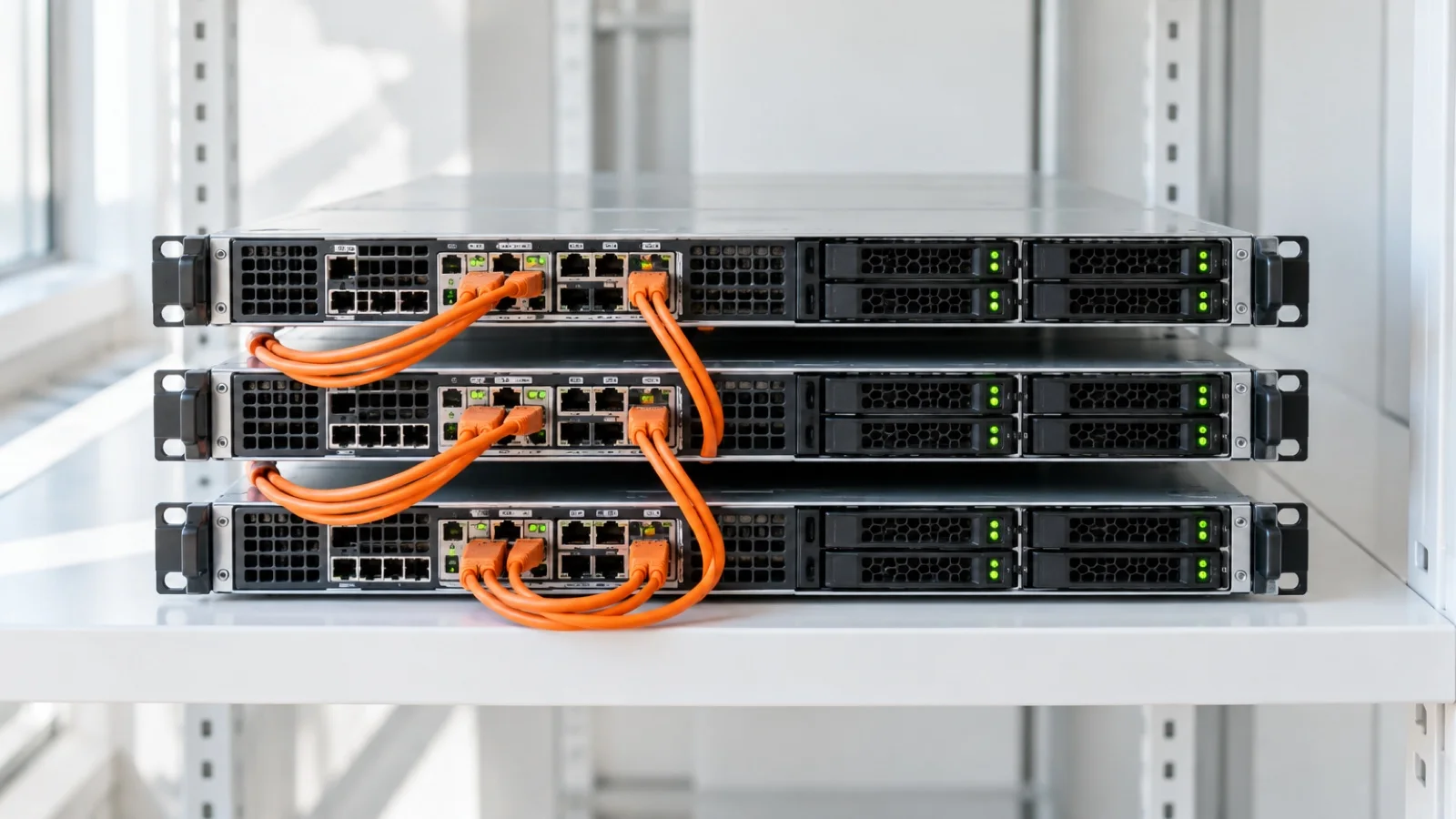
In a Proxmox VE cluster with Ceph, every node brings both compute (CPU, memory) and disks. Ceph pools all these disks into a single distributed storage system and replicates every block of data across several nodes. This is known as a hyperconverged architecture.
Two mechanisms work together:
- The Proxmox cluster monitors the state of the nodes. If a server disappears, it is isolated automatically (fencing), then its HA-protected virtual machines restart on the remaining nodes, within minutes and without human intervention.
- Ceph ensures that those machines’ disks are always reachable, since their data already exists in several copies on the other nodes.
There is no SAN to buy, no single controller everything depends on. And for planned maintenance (an update, replacing a memory module), machines are live-migrated to another node with no interruption for users.
The sizing that matters
- Three nodes minimum. The cluster needs a majority of voters (quorum) to make decisions: with three nodes, it keeps that majority if one fails. Ceph works the same way with its monitors, deployed on three nodes.
- Four or five nodes for more headroom. With three nodes and three copies, losing a server leaves storage in a degraded state until it comes back. From four nodes, Ceph can recreate the missing copy on another server by itself. More nodes also spread the load better.
- A dedicated Ceph network, 10 GbE at minimum, 25 GbE or more once the disks are NVMe. The most common mistake is running replication over the user network.
- A separate link for the cluster (Corosync), ideally redundant. This traffic is light but very sensitive to latency: if it is drowned in storage traffic, nodes may believe they are isolated.
- Enterprise SSDs with power-loss protection, preferably NVMe, for the OSDs (the disks Ceph manages). On a tight budget, enterprise SATA SSDs with the Ceph database and write-ahead log (DB/WAL) placed on an NVMe device.
- Disks passed through directly, with no hardware RAID controller: Ceph handles redundancy itself, and RAID underneath only gets in its way.
- 3× replication by default, with at least two copies available to keep writing. Erasure coding saves space but costs latency and needs more nodes: we keep it for archives.
Reference architecture for an SMB
| Component | Recommended choice | Why |
|---|---|---|
| Nodes | 3 identical servers, 4 or more if budget allows | Quorum, three copies on three hosts, self-healing from 4 |
| Ceph network | Dedicated link, 10 GbE minimum, 25 GbE with NVMe | Replication and rebuilds run over it |
| Cluster network | Separate link, ideally redundant | Stable quorum, no false failovers |
| User network | Separate, bonded interfaces | VM traffic does not compete with storage |
| Disks | Enterprise SSDs with power-loss protection, NVMe preferred | Performance and write integrity |
| Ceph pools | 3× replication, two copies minimum to write | Survives the loss of a node without data loss |
| Fill level | Keep a wide free margin | Ceph warns at 85% by default and must absorb the loss of a node |
| Backup | Proxmox Backup Server or Veeam, off-site copy | Protection against human error and ransomware |
The fill-level rule is often forgotten: if a node fails, its data is redistributed across the others. A cluster that is already full has no room to do so. We therefore size usable capacity so that it fits on the remaining nodes after a failure.
Migrating from VMware
We start with an inventory: every virtual machine, its role, criticality, dependencies and the acceptable window for its cutover. Since version 8.2, Proxmox VE includes an import wizard that reads machines directly from an ESXi host, which greatly simplifies the operation.
We then import virtual machines one by one, outside production hours, converting drivers to VirtIO and removing VMware tools. Each cutover is followed by a functional check with the user concerned. The most critical servers go last, once the cluster has been proven by the others. No global outage: only short planned stops, machine by machine, with a rollback option as long as the old platform stays in place.
If you are still weighing up platforms, our article on XCP-ng and Xen Orchestra presents another open-source alternative to VMware.
Backup is still essential
Ceph protects against hardware failure, not human error or ransomware: a deletion or malicious encryption is faithfully replicated across all three copies. Proxmox Backup Server or Veeam, with an immutable or offline off-site copy, completes the architecture. Both integrate natively with Proxmox VE; we choose based on your existing environment. Our guides on immutable 3-2-1 backup and Veeam best practices detail the approach.
The backup server must not be part of the cluster it protects: if it goes down with it, it is useless.
Common mistakes
- Building a Ceph cluster on two nodes: with no third voter, losing one server blocks everything.
- Mixing replication, cluster and user traffic on one network: performance collapses at the worst moment, during a rebuild.
- Using consumer SSDs: without power-loss protection, they are slow at synchronous writes and wear out quickly under Ceph.
- Putting disks behind a RAID controller instead of passing them straight to Ceph.
- Filling storage to the brim: the loss of a node can no longer be absorbed.
- Confusing replication with backup: three copies of ransomware-encrypted data are still three unusable copies.
- Never testing failover: a high-availability cluster is validated by actually cutting a node during acceptance testing.
Pre-production checklist
- At least three identical nodes, with quorum verified.
- Dedicated Ceph network and separate Corosync link, load-tested.
- Enterprise SSDs passed directly to Ceph, pools in 3× replication.
- Enough capacity headroom to absorb the loss of a node.
- HA enabled on critical machines, with a priority order.
- Real failure test: hard stop of a node and check that machines restart.
- Backup outside the cluster, off-site copy, restore tested.
- Monitoring of Ceph health, disks and quorum, with alerts handled.
What it costs
Proxmox VE is open-source software: no mandatory licence, no forced renewal. The Proxmox Enterprise subscription, billed per physical CPU socket per year, is optional: it gives access to the stable update repository and vendor support. We recommend it for production. The budget is therefore mainly about hardware (servers, disks, 10 or 25 GbE switches) and long-term operations.
How we do it
We start from what you have: inventory of virtual machines, real load, data volume and recovery objectives. We then size the cluster, network and storage, install it, and run formal acceptance testing, including a failure test, before any migration. Cutover happens in batches, outside production hours. Once live, the cluster joins our 24/7 monitoring, with critical incidents handled in under 15 minutes, as part of a managed IT services contract if you wish.
See our virtualisation and server infrastructure service, our Proxmox and Veeam partner pages, and an example of a virtualisation cluster in our case studies. To discuss your project, request a free audit: we reply within 24 business hours.
Frequently asked questions
How many servers does a Proxmox Ceph cluster need?
Three nodes minimum: that lets the cluster keep a majority (quorum) if one node fails, and lets Ceph keep its three copies on three different servers. From four nodes upwards, Ceph can also rebuild the third copy on its own after a failure.
What network does Ceph require?
A dedicated network, 10 GbE at minimum, and 25 GbE or more once the disks are NVMe. Proxmox cluster traffic (Corosync) should also have its own link. Running replication over the user network is the most common mistake.
Can you migrate from VMware to Proxmox without downtime?
Without a global outage, yes: virtual machines are imported one by one, outside production hours, with drivers converted to VirtIO. Each machine has a short planned stop during its cutover; the most critical servers go last.
Is Proxmox cheaper than VMware?
Proxmox VE is free and open-source software, usable without a licence. The Enterprise subscription, billed per physical CPU socket per year, is optional: it gives access to the stable update repository and vendor support. The comparison therefore comes down mostly to hardware, operations and support.
About the editorial team
ALLSAFE SOLUTIONS
Network, security and cloud engineers
Written by the engineering team at ALLSAFE SOLUTIONS, a managed IT provider founded in Casablanca by network, security and cloud engineers. Our articles draw on the projects we deliver for clients in Morocco and abroad.
LinkedIn