








































3-2-1 backup and immutable backup: why the 3-2-1 rule is no longer enough against ransomware
Immutable backup and the 3-2-1 backup rule explained: definitions, the 3-2-1-1-0 variant, comparison, step-by-step setup and mistakes to avoid against ransomware.
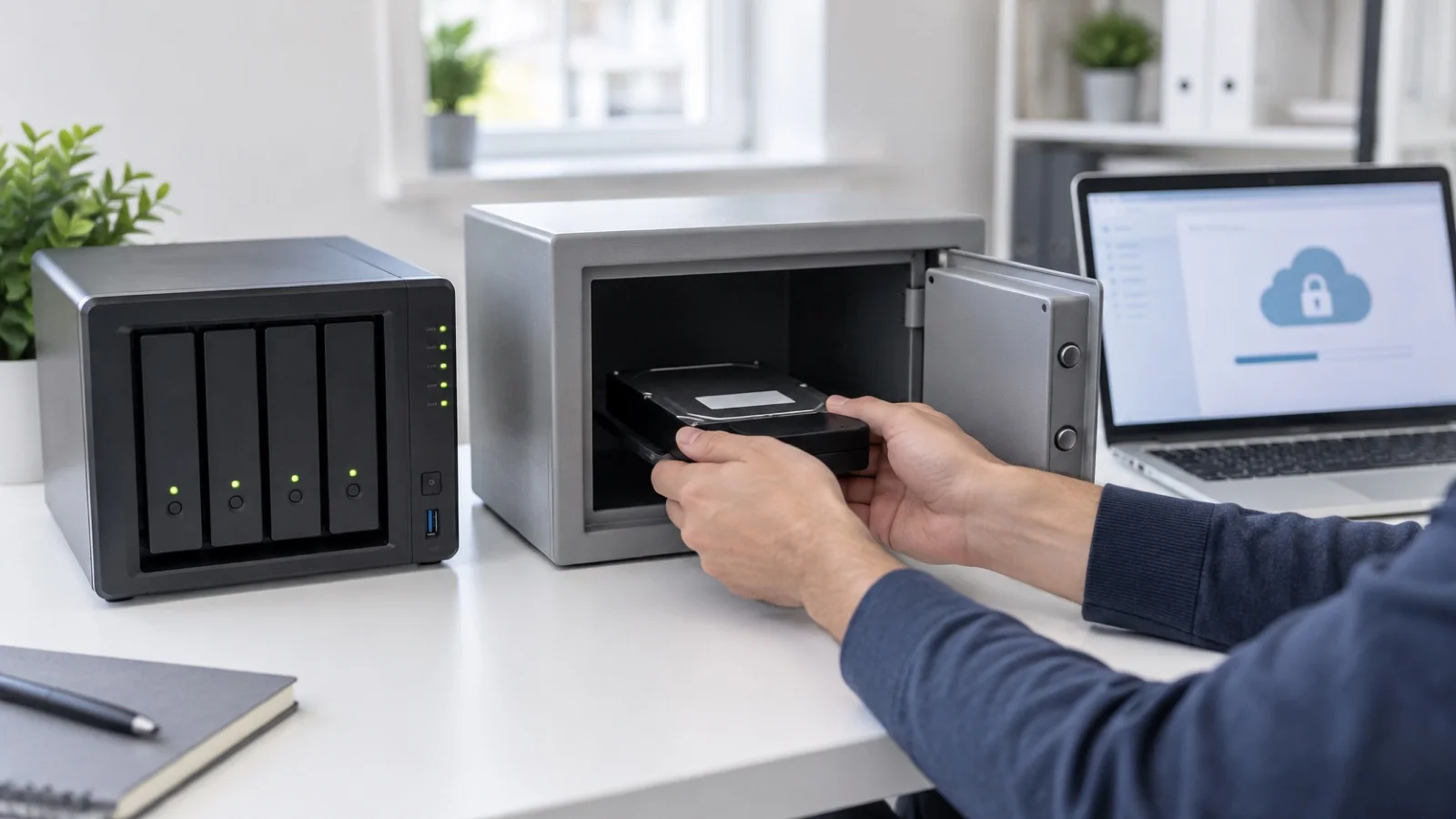
In short: the 3-2-1 backup rule means keeping 3 copies of your data, on 2 different media, with 1 off site. An immutable backup is a copy that nobody, not even an administrator, can modify or delete before a set date. The first protects you from a failure or a fire; the second protects you from ransomware. In 2026, an SMB needs both, combined in the 3-2-1-1-0 rule.
The 3-2-1 rule was designed for disks that fail and offices that burn. It is still right. But modern ransomware does not break your disks: it hunts for your backups, encrypts them first, then goes after production. A copy the attacker can reach is not protection. For the manager of a Moroccan SMB, the question is therefore no longer “do we have a backup?”, but “if an attacker takes over our network tonight, what will be left tomorrow morning to restart invoicing, accounting and email?”. This guide explains what changed, what “immutable” actually means, and how to move from the 3-2-1 rule to the 3-2-1-1-0 rule without rebuilding your whole infrastructure.
The 3-2-1 backup rule: definition
The classic rule, also written “3 2 1 backup” or “321 rule”, fits in three numbers:
- 3 copies of the data: production plus two backups.
- 2 different media: for example a NAS and cloud storage, so that a single failure does not hit every copy.
- 1 off-site copy: in another building or with a hosting provider, to survive a fire, water damage or theft.
A concrete example for an SMB
| Copy | Where | Role |
|---|---|---|
| Copy 1: production | Servers, virtual machines, Microsoft 365 | Working data, not a backup |
| Copy 2: local backup | Dedicated backup repository or NAS, on premises | Fast everyday restores: a deleted file, a VM to bring back |
| Copy 3: off-site backup | Data centre, second site or cloud storage | Surviving the complete loss of the premises |
The two media here are local storage and remote storage: they share neither hardware, nor building, nor risk.
Its blind spot
This rule answers the threats it was designed for very well: hardware failure, physical disaster, human error. It has one blind spot: it assumes the copies are out of reach of a malicious human. Yet in many SMBs the backup server is joined to the domain, the NAS is mapped as a network drive and the cloud console is protected by the same administrator password as everything else. Three copies reachable with a single set of credentials are, in practice, one copy.
Why 3-2-1 backup is no longer enough against ransomware
Ransomware groups spend several days on average inside a network before encrypting. During that time they map backup servers, harvest credentials and delete restore points. On the day, there is nothing left to restore, and the ransom becomes the only way out.
This way of operating has three direct consequences for your backup strategy:
- A NAS on the network is not a safety copy. If it is visible from a compromised workstation, it will be encrypted along with everything else.
- The domain administrator account is the key to everything. If that account also opens the backup console, the attacker can delete jobs, shorten retention or empty the repository.
- A recent backup may already be contaminated. Because the attacker has been inside for several days, you must be able to go back further than the date of the intrusion, not just to the day before encryption.
We cover the full set of preventive measures in our article on the seven measures against ransomware. Immutable backup is the last line of defence: the one that works when everything else has failed.
What is an immutable backup?
An immutable backup is a copy that cannot be modified or deleted for a fixed period, even by an administrator, even with the right password. The refusal is enforced by the storage itself, not by an account’s permissions: that is what sets it apart from a backup that is merely password-protected. It is also called WORM storage (write once, read many). Technically it relies on:
- Object storage with locking (S3 Object Lock or equivalent), or a hardened repository that refuses deletion, hosted out of reach of your production network.
- Credentials separate from your domain, with MFA.
- A retention period longer than an attacker’s typical dwell time, at least 30 days.
Immutable, offline, encrypted: three notions not to confuse
| Notion | What it guarantees | What it does not guarantee |
|---|---|---|
| Immutable backup | Nobody can modify or delete the copy before retention expires | That the backed-up data was clean to begin with |
| Offline backup (air gap) | The copy is disconnected, so unreachable from the network | That it is up to date: it all depends on rotation |
| Encrypted backup | Someone who steals the copy cannot read it | That an attacker cannot delete or re-encrypt it |
| Snapshot | A quick rollback on the same storage | An independent copy: if the storage fails, so do the snapshots |
A well-designed backup combines these protections: encrypted, immutable, and stored off site.
Governance mode or compliance mode
On storage compatible with S3 Object Lock, locking comes in two modes, and the difference matters. In governance mode, an account with a special permission can still lift the lock or delete the data: useful for testing a configuration, but an attacker who steals that account can do the same. In compliance mode, no user, not even the root account, can delete the data or shorten the retention before it expires. That is the mode to aim for on the immutable copy. Locking also requires versioning to be enabled on the bucket.
The three families of immutable backup solutions
| Solution | How it works | Strengths | Watch points |
|---|---|---|---|
| Cloud object storage with locking (S3 Object Lock or equivalent) | The copy is sent to a provider and locked for a fixed period | Off site by nature, no hardware to manage, integrates with common backup software | Relies on the internet link for a full restore; cost varies with volume and retention |
| Hardened Linux repository (for example Veeam Hardened Repository) | A dedicated server, outside the domain, that refuses deletion of backups during retention | Fast local restores, full control of the data | Must be installed and run rigorously: remote access closed, separate accounts, updates followed |
| Disconnected media (tapes, disks removed and stored elsewhere) | The copy is physically offline | Unreachable from the network | Manual rotation, frequent “forgot to swap” errors, slower restores |
For most SMBs the most balanced combination pairs a local copy for fast everyday restores with an immutable off-site copy for the disaster scenario. Implementation best practices with Veeam are covered in our guide Veeam: virtual machine backup best practices, and choosing the edition in Veeam Data Platform: which edition.
The 3-2-1-1-0 rule: the variant built for ransomware
Three copies, two media, one off site, one immutable or offline, and zero errors on the restore test. This is the wording promoted by Veeam, among others. That last point is the one everyone forgets: a full restore must be tested at least once a quarter, stopwatch in hand.
| Rule | Protects against | Does not protect against |
|---|---|---|
| 3-2-1 | Disk failure, on-site disaster, human error | An attacker who deletes or encrypts the reachable copies |
| 3-2-1-1 | All of the above, plus deletion or encryption of backups | A corrupt or incomplete backup that nobody checked |
| 3-2-1-1-0 | All of the above, plus bad surprises at restore time | A missing recovery plan: who does what, in which order |
The “0” does not mean the software shows a green light. It means someone actually restored a server or an application, in an isolated environment, and checked that the data was usable. The stopwatch is there to compare the real restore time with the downtime the business accepts, which we discuss in our article on the disaster recovery plan. The test method itself is described in how to test a backup restore.
Setting up an immutable 3-2-1 backup: the steps
- Inventory what needs protecting: servers, virtual machines, business databases, file shares, NAS, Microsoft 365 or Google Workspace, workstations that store data locally.
- Set the objectives: acceptable data loss (RPO, which sets backup frequency) and acceptable downtime (RTO, which sets local restore capacity).
- Create the local copy on a dedicated repository, outside the domain, rather than a network share visible from every workstation.
- Create the immutable off-site copy: object storage locked in compliance mode, or a hardened repository in a second site or a data centre.
- Separate identities: backup accounts distinct from the domain, MFA on every console, credentials kept off admin workstations.
- Set retention: at least 30 days on the immutable copy, more if the business requires it.
- Monitor: every failed job must trigger an alert that a named person reads and handles.
- Test the restore every quarter, end to end, and record the result and the duration.
- Document it all in the recovery plan: where the copies are, who holds the access, in what order to restore.
The most common mistakes
In SMBs, the same weaknesses come up again and again:
- The backup server is a domain member. A single compromised account then opens both production and backups.
- The “off-site” copy is synchronised, not backed up. A synced folder also replicates encrypted or deleted files.
- The NAS is counted as two media. Two disks in the same box are one medium, in one place.
- Locking is set to governance mode. A single stolen account is then enough to lift the protection.
- Retention is too short. If the oldest restore points date from after the intrusion, they already contain the attacker.
- Nobody reads the alerts. A job that has been failing for weeks only shows up on the day you need it.
- The test stops at one file. Restoring a document does not prove you can bring back a server, its database and its dependencies.
- Cloud console credentials sit in the same vault as everything else, or worse, are saved in the browser of an admin workstation.
What about the cloud?
Microsoft 365 and Google Workspace do not back up your data in the true sense. The recycle bin and default retention cover neither malicious deletion nor encryption through a compromised account. Third-party backup of mailboxes, SharePoint and Drive is essential.
The vendor guarantees the availability of the service; protecting the data against your own users, or against a stolen account, remains your responsibility. We explain this split in detail in our article on Microsoft 365 backup and shared responsibility. The same immutability logic applies: the backup of your cloud data must also be stored out of reach of the tenant’s administrator accounts.
Off-site backup in Morocco: the Law 09-08 question
As soon as a backup contains personal data about customers, employees or patients, it falls under Law 09-08. Sending the off-site copy to a foreign cloud is a transfer of data outside Morocco, which is only possible in the cases the law provides for. The location of the immutable copy is therefore chosen before you start: in Morocco in a second site or a data centre, or in a cloud region whose framework is accepted. We detail these obligations in our article on Law 09-08 and the CNDP, and the hosting options in our guide to off-site backup in Morocco.
What drives the effort and the budget
There is no single price for immutable backup. The main factors are:
- The volume of data to protect and its growth, which set the storage capacity.
- The retention period: every extra day of locking is paid for in disk space.
- The number of servers and applications: a business database needs more care than a file share.
- The bandwidth of the internet link, which governs the daily upload off site and, above all, the duration of a full restore from the cloud.
- The acceptable downtime: the shorter it is, the more local capacity you need to restore quickly.
- The cloud data to include: mailboxes, SharePoint, OneDrive, Drive.
Checklist: will your backup survive ransomware?
- At least one copy is immutable, in compliance mode or on a hardened repository outside the domain.
- The backup console uses credentials separate from the domain, with MFA.
- Immutable retention is at least 30 days.
- One copy is off site, in another building or with a hosting provider, in a location compatible with Law 09-08.
- Microsoft 365 or Google Workspace is covered by a third-party backup.
- Failure alerts are read and handled by a named person.
- A full restore is tested every quarter, timed and documented.
If you cannot tick every box, start with immutability and the restore test: those are the two points that make the difference on the day of an attack.
This setup is at the heart of our backup and business continuity and business cybersecurity services, with 24/7 monitoring of backup jobs and a documented quarterly restore test. The initial audit of your backup is free: to take stock, contact us.
Frequently asked questions
What is an immutable backup?
A copy that cannot be modified or deleted for a fixed period, even by an administrator. It relies on locked storage (S3 Object Lock in compliance mode, a hardened Linux repository or equivalent) hosted outside the network, and on credentials separate from the domain, with MFA.
What is the 3-2-1 backup rule?
Keep 3 copies of the data (production plus two backups), on 2 different types of media, with 1 copy off site. It is also written "3 2 1" or "321": same rule. It protects against failure, disaster and mistakes, but not against an attacker who reaches every copy with the same credentials.
What does 3-2-1-1-0 mean in backup?
Three copies of the data, on two media, one of them off site and one immutable or offline, with zero errors on the restore test. That full test is run at least once a quarter, stopwatch in hand.
How long should an immutable backup be kept?
At least 30 days, to outlast an attacker's typical dwell time inside the network before encryption is triggered. Longer retention costs more storage but widens the window you can roll back to.
What is the difference between an immutable backup and an offline (air-gapped) backup?
An offline copy is physically or logically disconnected from the network: it cannot be reached. An immutable copy can still be reached, but the storage refuses any change or deletion before retention expires. Both satisfy the extra "1" of the 3-2-1-1-0 rule; immutable is easier to automate.
Is a NAS enough to follow the 3-2-1 rule?
No. A NAS is only one medium, and it usually sits in the same premises and on the same network as the servers. You need at least a second, off-site copy, and ideally an immutable copy that cannot be deleted from the company network.
Do Microsoft 365 and Google Workspace back up my data?
Not in the true sense. The recycle bin and default retention cover neither malicious deletion nor encryption through a compromised account; third-party backup of mailboxes, SharePoint and Drive remains essential.
About the editorial team
ALLSAFE SOLUTIONS
Network, security and cloud engineers
Written by the engineering team at ALLSAFE SOLUTIONS, a managed IT provider founded in Casablanca by network, security and cloud engineers. Our articles draw on the projects we deliver for clients in Morocco and abroad.
LinkedIn