






































Veeam: the 6 settings that separate a backup from real protection
Veeam in Morocco: the six settings we check at every client, from the immutable repository to the SureBackup test, for backups you can actually restore.

Veeam Backup & Replication is the most common backup software in the companies we audit. It is also the one we most often find misconfigured: installed one day, never reviewed. The short answer: a Veeam installation only really protects you if backups are immutable, copied off site, application-consistent, tested automatically, extended to Microsoft 365 and watched by someone. Here are the six settings we check at every client, the method to put them in place and the most common mistakes.
Why “the backup runs” is not enough
A Veeam job with a green status only tells you that data was copied. It does not say whether that data will survive an attack, whether databases will be consistent on restore, or whether the off-site copy actually exists. Modern ransomware looks for backups first, to delete them before encrypting production: that is why configuration matters as much as the software. For the general principle, see the 3-2-1 rule and immutable backup.
1. The immutable repository
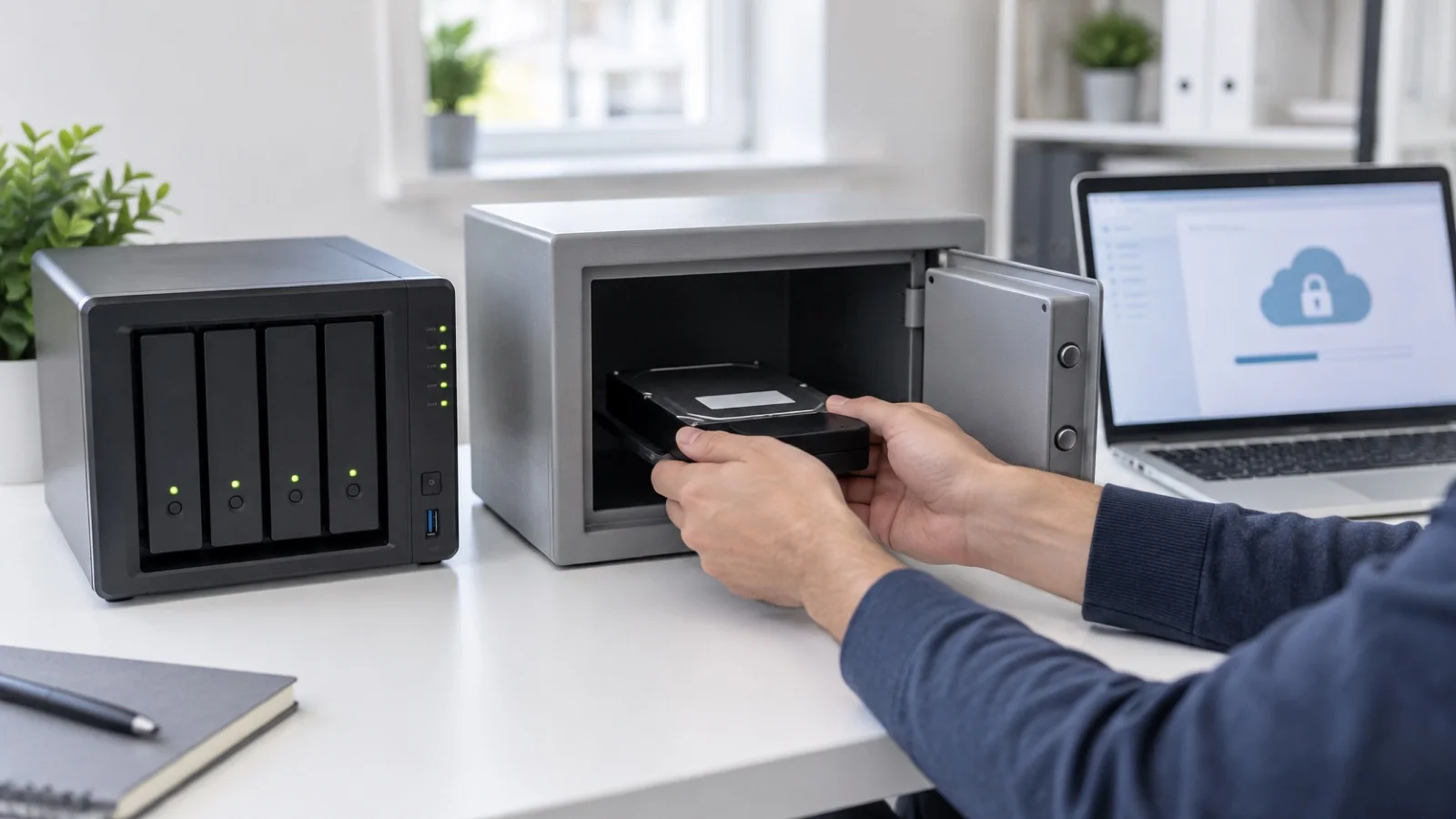
A hardened Linux repository or locked object storage makes backups impossible to delete for the chosen period, even with Veeam credentials. Without it, ransomware that reaches the Veeam server can wipe everything.
The hardened repository is a dedicated Linux server, with no permanent SSH access, to which Veeam writes using single-use credentials. The immutability period is set according to your retention policy: it must cover the time an attacker can spend inside the network before being spotted.
2. The 3-2-1-1-0 rule applied
Three copies of the data, on two different media, one of them off site, one offline or immutable, and zero errors in restore tests. In practice, that means a backup copy job to a second site or a cloud, in addition to the local backup. Many installations have only one chain, on the same storage as production: a storage array failure or a fire takes both.
3. Application-aware processing
Application-aware processing puts Exchange, SQL Server and Active Directory in a consistent state before capture, and can handle transaction log truncation. Without it, restoring a database can fail or require lengthy repair. It relies on valid guest credentials: change a service account password without updating it in Veeam, and application processing fails silently, as a mere warning.
4. SureBackup, the automatic test
Veeam can start backed-up machines in an isolated lab and verify they respond: operating system boot, network response, application services. A weekly SureBackup job replaces “we’ll see on the day”. Complement it with a full manual restore at least once a year, under real disaster conditions, as a disaster recovery plan requires.
5. Microsoft 365 backed up too
Veeam Backup for Microsoft 365 protects Exchange Online, SharePoint, OneDrive and Teams, which Microsoft does not back up in the true sense. Microsoft’s recycle bin and retention do not replace an independent backup, as we explain in Microsoft 365 shared responsibility.
6. Alerts that someone reads
A failure notification sent to a mailbox nobody checks is useless. At our clients, Veeam alerts flow into our 24/7 monitoring and trigger an intervention. Warnings matter as much as failures: they are often what signals a failed application-aware job or a nearly full repository.
Restoring: the options to know before the day
A good configuration is only worth something if the team knows how to restore quickly. Veeam offers several restore levels, to pick according to the incident:
- File-level restore: recover a deleted or overwritten document without restoring the whole machine.
- Application item restore: a specific mailbox, Active Directory object or SQL database.
- Instant Recovery: start a virtual machine directly from the backup, to bring a service back while the full restore continues.
- Full restore of the machine, to the original host or another one.
Each of these procedures should be written down, tested and known to more than one person. On the day of an incident, nobody should be discovering the restore interface.
The six settings at a glance
| Setting | Risk if missing | Quick check |
|---|---|---|
| Immutable repository | Backups deleted by the attacker | Is the repository marked immutable, and for how long? |
| Off-site copy | Total loss in a local disaster | Is there a copy job that completes successfully? |
| Application-aware | Inconsistent databases on restore | Do jobs show guest processing warnings? |
| SureBackup | Unusable backup discovered too late | When was the last successful test? |
| Microsoft 365 | Email and cloud files unprotected | Are all mailboxes and sites included? |
| Alerts followed | Failures ignored for weeks | Who receives the alerts, and who acts? |
Common mistakes
- The Veeam server joined to the production domain, managed with the same accounts as everything else: an attacker who takes the directory takes the backups.
- No MFA on the Veeam console, although recent versions offer it.
- The repository on the same storage as the virtual machines.
- No backup of the Veeam configuration itself, which makes rebuilding the backup server harder.
- Encryption enabled without keeping the password in a safe vault: backups become unreadable for everyone.
- Short retention, which does not let you go back before the start of a quiet infection.
- New machines never added to jobs, because jobs are not built on folders or tags.
These points overlap with the 7 ransomware measures we recommend to every SMB.
Remediation method, step by step
- Inventory machines, applications and data, and set for each the acceptable data loss and expected time to restore service.
- Check coverage: is every virtual machine, physical server (via the Veeam agent) and Microsoft 365 service included?
- Set up the immutable repository and the off-site copy.
- Isolate the Veeam server: outside the production domain, dedicated accounts, MFA on the console.
- Enable application-aware processing and check guest credentials.
- Schedule SureBackup and document the restore procedure.
- Connect alerts to monitoring that someone follows, with a named owner.
Veeam checklist
- Immutable repository in place, immutability period documented.
- Off-site or cloud copy job completing successfully.
- Application-aware processing active on application servers.
- Last successful SureBackup test dated and logged.
- Microsoft 365 backed up independently.
- Veeam server isolated from the production directory, console protected by MFA.
- Veeam configuration backed up, encryption password stored safely.
- Alerts received and handled by a named person.
How we do it
We start with an audit of your existing Veeam installation: jobs, repositories, retention, alerts and last restore test. You receive the list of gaps, ranked by priority. We then set up the immutable repository, the off-site copy and automatic tests, whether your virtualisation runs on VMware, Hyper-V or Proxmox with Ceph. Alerts join our 24/7 monitoring, and a critical incident is handled in under 15 minutes. Our case studies cover comparable backup and virtualisation projects.
All of this is part of our virtualisation and servers service. As a Veeam partner, and also a Proxmox partner, we audit your existing configuration for free during the free initial audit: contact us, we reply within 24 business hours.
Frequently asked questions
How do you protect Veeam backups against ransomware?
With a hardened Linux repository or locked object storage: backups then cannot be deleted for the chosen period, even with Veeam credentials. Also isolate the Veeam server from the production directory and protect its console with MFA.
What is Veeam application-aware processing for?
It puts Exchange, SQL Server and Active Directory in a consistent state before capture. Without it, restoring a database can fail or require lengthy repair.
How can you automatically check that a Veeam backup can be restored?
SureBackup starts backed-up machines in an isolated lab and verifies they respond. A job scheduled every week catches an unusable backup before the day you need it.
Can Veeam back up Microsoft 365?
Yes, Veeam Backup for Microsoft 365 protects Exchange Online, SharePoint, OneDrive and Teams, which Microsoft does not back up in the true sense.
About the editorial team
ALLSAFE SOLUTIONS
Network, security and cloud engineers
Written by the engineering team at ALLSAFE SOLUTIONS, a managed IT provider founded in Casablanca by network, security and cloud engineers. Our articles draw on the projects we deliver for clients in Morocco and abroad.
LinkedIn