






































Business laptop: how to choose the right one for your company in Morocco
Business laptop buying guide: Windows 11 Pro, TPM 2.0, vPro or AMD PRO, Arm or x86, Thunderbolt 4, on-site warranty, Autopilot. The criteria that really matter.
The short answer: a business laptop is not chosen on the processor first. It is chosen on what makes it manageable, secure and repairable for its whole life: Windows 11 Pro, a TPM 2.0 chip, the manufacturer’s business range, a warranty with on-site service that is actually available in your city, and Windows Autopilot registration at purchase. Processor, memory, screen and weight are then sized to each user’s profile. This guide covers those criteria in the order we check them before recommending a model.
ALLSAFE SOLUTIONS supplies laptops and licences to businesses in Morocco, with or without installation, from Casablanca. We are not an official partner of Dell, HP or Lenovo: we recommend the model that fits the need, whatever the brand. Every specification quoted here comes from official Microsoft, Intel and manufacturer pages; we do not quote prices, which vary with time and configuration.
The criteria in the right order
| Order | Criterion | What to check |
|---|---|---|
| 1 | Operating system | Windows 11 Pro at least, never Home |
| 2 | Hardware security | TPM 2.0, Secure Boot, fingerprint reader or infrared camera |
| 3 | Range | The manufacturer’s business range, not a consumer model |
| 4 | Management | Autopilot and Intune; Intel vPro or AMD PRO for remote management |
| 5 | Architecture | x86 (Intel, AMD) or Arm (Snapdragon) depending on your software |
| 6 | Performance | Processor, memory and SSD sized to the user’s profile |
| 7 | Mobility and comfort | Weight, screen, battery life, keyboard, webcam |
| 8 | Connectivity | USB-C, Thunderbolt 4, HDMI, docking station |
| 9 | Warranty | On-site service, drive retention, accidental damage |
1. Windows 11 Pro, not Home
This is the most common mistake with laptops bought from retail stores or online: a machine shipped with Windows 11 Home. For business use, this edition blocks the essentials. According to Microsoft’s documentation:
- Microsoft Entra ID join: possible on all Windows 11 devices “except Home editions”. Without it, there is no central account management and no conditional access.
- BitLocker: available on Pro, Enterprise and Education, not on Home. It is the encryption that protects your data if a laptop is stolen, covered in our BitLocker for business guide.
- Windows Hello for Business: passwordless sign-in tied to the work account, Pro and above only.
- Windows Autopilot: supported editions are Pro, Pro for Workstations, Enterprise and Education; Home is not one of them.
- Hyper-V: Microsoft states that it cannot be installed on Windows 11 Home.
Microsoft describes Windows 11 Pro as the edition designed for small and medium businesses. If a quote offers Home with an upgrade “later”, include that licence in the comparison, or ask for a Pro configuration straight away.
2. Hardware security
Windows 11’s minimum requirements already include a TPM 2.0 chip and UEFI firmware with Secure Boot. Every recent laptop sold with Windows 11 has them; check carefully if you are offered a refurbished or older-generation model.
Beyond the minimum, favour a fingerprint reader or infrared camera compatible with Windows Hello, a physical webcam shutter, and a lock slot if laptops stay in areas open to the public. Software security is then built on that base: EDR rather than traditional antivirus, encryption, managed updates.
3. A business range
Each manufacturer separates its consumer and business ranges:
| Manufacturer | Business ranges | Warranty extension |
|---|---|---|
| Dell | Dell Pro (formerly Latitude), Dell Pro Precision for workstations | ProSupport, ProSupport Plus |
| HP | EliteBook (high end), ProBook (mid-range) | HP Care Pack |
| Lenovo | ThinkPad (E, L, T, X series) | Premier Support, Premier Support Plus |
Dell reorganised its range names in 2025, then restored some of them in 2026: on a Dell quote, check the exact model generation rather than the marketing name alone.
What a business range brings in practice: on-site warranty options, parts available for longer, drivers and fleet management tools from the manufacturer, and components that stay stable from one batch to the next, so the same configuration can be deployed across the whole fleet.
Durability: HP, Lenovo and Dell state that their business ranges are tested against the MIL-STD-810 military standard. Read the manufacturers’ caveats: HP says the results are not a guarantee of future performance under those conditions, and Lenovo that such abuse is not covered by its standard warranty. Stated durability does not replace accidental damage cover.
4. Fleet management: Autopilot, Intune, vPro and AMD PRO
A laptop used for remote work or travel must be updatable, securable and fixable without coming back to the office.
- Windows Autopilot: a reseller in Microsoft’s CSP programme can register your devices in your tenant at purchase, after you approve the relationship in Microsoft’s portal. Microsoft recommends using the identifier supplied by the manufacturer rather than powering on each PC. At first sign-in, the user enters their work account and the PC sets itself up. You need a subscription that includes Entra ID and Intune, such as Microsoft 365 Business Premium.
- Intune: compliance, updates, apps and encryption managed remotely, as described in our Microsoft Intune for SMBs guide.
- Intel vPro: on Intel vPro Enterprise models, Intel AMT lets you take back control of a PC whose operating system no longer responds, including remote keyboard, video and mouse. Intel positions vPro Essentials for small businesses; it does not offer every AMT feature. Intel also targets platform component stability for 15 months after launch.
- AMD PRO: AMD offers the equivalent on its Ryzen PRO processors, with security and remote administration features designed for businesses. Check on the model’s datasheet that the processor really is from the PRO range.
5. Intel, AMD or Arm (Snapdragon)
Arm laptops, such as Snapdragon X models, offer good battery life. Windows 11 emulates x86 and x64 apps, with the Prism engine since version 24H2. But Microsoft states a decisive point: emulation only supports user-mode code, not drivers. Any component that installs at the heart of the system must exist in an Arm64 version.
In practice, before buying Arm laptops, check Arm64 availability for:
- your antivirus or EDR; Microsoft notes that some third-party antivirus software will not install without an Arm version;
- your VPN client, which relies on a network driver;
- your printer, scanner, card reader or line-of-business device drivers;
- older business software, especially accounting and payroll.
For a fleet running Moroccan management software or specific peripherals, we recommend an Intel or AMD processor, or a test on a pilot PC before any bulk order.
6. Processor, memory and storage by profile
Windows 11’s minimum requirements (64-bit dual-core processor, 4 GB of memory, 64 GB of storage) are a technical floor. For Copilot+ PCs, Microsoft requires 16 GB of memory, a 256 GB SSD and a neural processing unit (NPU) of at least 40 TOPS: good benchmarks for a PC that must last several years.
| Profile | Priorities |
|---|---|
| Administration, reception, accounting | Mid-range processor, enough memory for Teams, a browser and Office together, SSD |
| Travelling sales staff | Weight, battery life, durability, optional 4G or 5G, good webcam and microphones |
| Management | Quality screen, weight, Windows Hello, warranty with fast service |
| Technical, CAD, development | More powerful processor, larger memory, dedicated graphics depending on the software, workstation range |
Two rules prevent many regrets. First, on many thin laptops memory is soldered: what you buy is what you keep. Second, an undersized SSD fills quickly with files synced from OneDrive or SharePoint; check whether a second slot or a replacement is possible.
7. Mobility, screen and comfort
- Screen size: 13 to 14 inches for frequent travellers, 15 to 16 inches for a laptop that mostly stays on a desk. A matte screen is more comfortable under strong lighting.
- Battery life: compare the manufacturer’s figures for equivalent use, and prefer a battery covered by the warranty.
- Keyboard and numeric pad: essential for accounting input; check the AZERTY layout when ordering.
- Webcam and microphones: in Teams meetings, they are what your customers see and hear of you.
- Networking: Wi-Fi 6 or 6E to make the most of a recent business WiFi network.
8. Ports and docking station
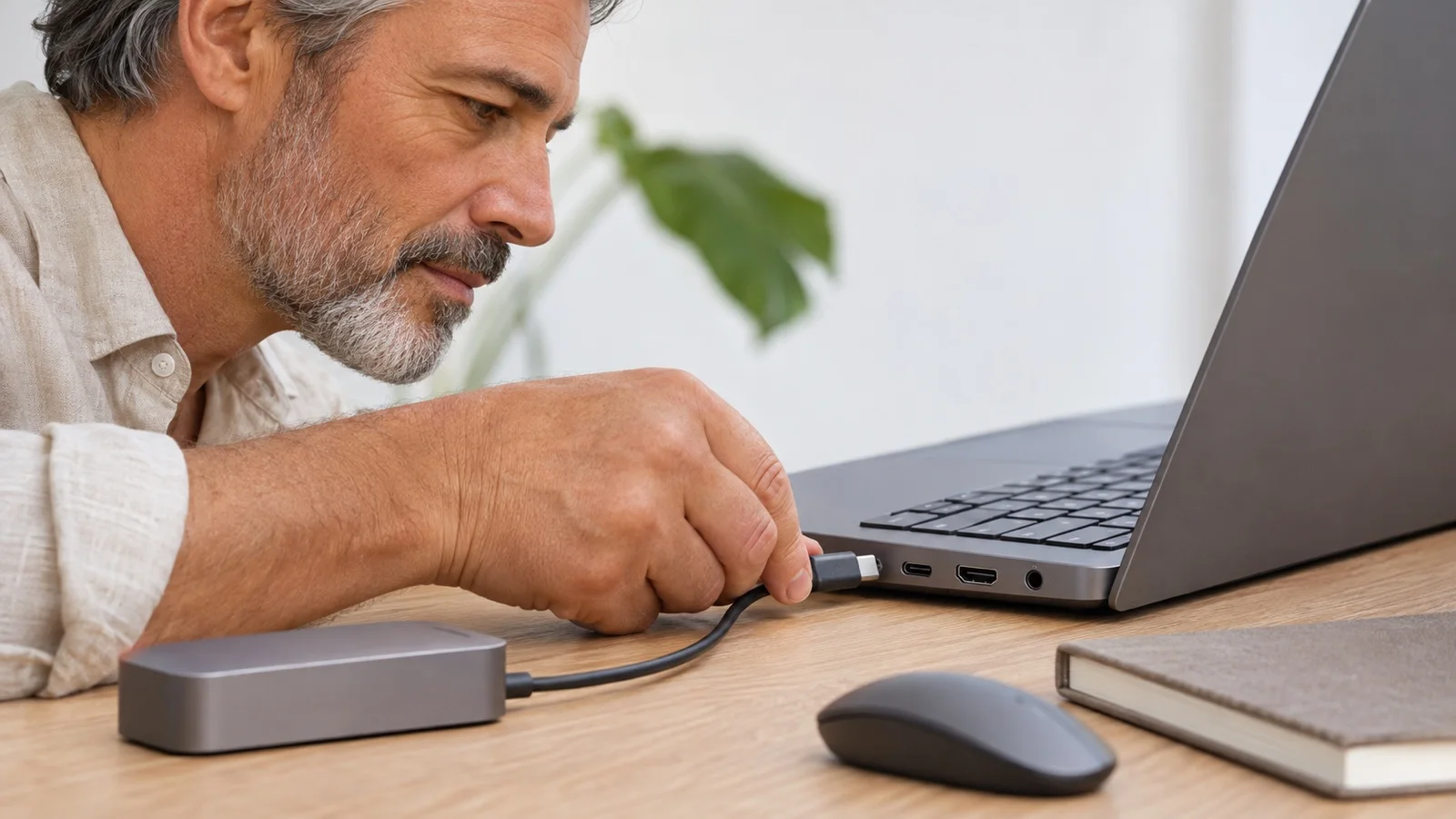
A USB-C port alone guarantees neither bandwidth, nor display, nor charging. Intel makes this point in its comparison with Thunderbolt 4, whose certification requires support for two 4K displays, 40 Gb/s and laptop charging on at least one port. For a laptop that connects at the office to two screens, a keyboard and wired network, a Thunderbolt 4 or USB-C docking station compatible with the model simplifies the day: one cable to plug in.
Keep an HDMI port and at least one USB-A port too if your meeting rooms or peripherals still depend on them.
9. Warranty and on-site service
A broken laptop means an employee at a standstill. Manufacturer extensions offer, depending on the plan, next-business-day on-site service, defective drive retention (your data never leaves the company during a replacement) and accidental damage cover: drops, spilled liquid. HP, for example, says its Care Packs extend the standard one-year warranty to two to five years.
The decisive point in Morocco: conditions vary by country and city. Get written confirmation of the service level that actually applies at your addresses, in Casablanca and in other regions, and record each PC’s warranty end date in your inventory.
The mistakes we see most often
- Laptops bought with Windows 11 Home, unable to join Entra ID without an upgrade.
- A consumer model with no on-site warranty, out of action for a long time over a simple repair.
- Too little soldered memory, which condemns the PC after two years.
- Arm laptops ordered in bulk before checking the antivirus, VPN and printer drivers.
- All-different models, multiplying drivers, chargers and docking stations.
- PCs delivered without encryption or Autopilot registration, prepared one by one by hand.
Checklist before ordering
- Windows 11 Pro, TPM 2.0, Windows Hello.
- Business range and recent model generation.
- Intel vPro or AMD PRO if you want out-of-band remote management.
- x86 or Arm compatibility checked for antivirus, VPN, drivers and business software.
- Memory and SSD sized for the intended lifespan, knowing whether memory is soldered.
- AZERTY keyboard, screen and weight suited to the profile.
- Compatible docking station.
- On-site warranty confirmed for your addresses, drive retention, accidental damage.
- Autopilot registration by the reseller and suitable Microsoft 365 licences.
To decide between buying, leasing or a subscription, read our guide on renewing your IT fleet, and if your PCs still run Windows 10, our article on Windows 10 end of support.
How we work
We start from an inventory of your fleet and user profiles, then propose one or two standard models per profile, from Dell, HP or Lenovo depending on availability and your existing fleet. As a Microsoft partner, we supply the licences, register the PCs in Autopilot, apply your security policies with Intune, encrypt the drives and deploy the antivirus or EDR. You can buy the hardware alone or with installation: see our IT hardware and licensing in Morocco offer. Once the fleet is in service, we monitor it 24/7 under our IT maintenance contracts.
To equip a new team or renew your laptops, request your free initial audit: we reply within 24 business hours.
Sources: Windows 11 and Copilot+ PC requirements, Microsoft Entra join, BitLocker, Windows Autopilot requirements, Autopilot partner registration, installing Hyper-V, x86 emulation on Windows Arm, Intel vPro, Thunderbolt 4, Dell ranges, Dell ProSupport, HP Care Pack guide, HP MIL-STD testing, Lenovo Premier Support, Lenovo MIL-STD testing.
Frequently asked questions
Is Windows 11 Home enough for a company laptop?
No. According to Microsoft, the Home edition cannot join Microsoft Entra ID, has no BitLocker, no Windows Hello for Business and no Hyper-V, and is not supported by Windows Autopilot. A company laptop should ship with Windows 11 Pro at least.
What is the difference between a consumer laptop and a business laptop?
Business ranges (Dell Pro, HP EliteBook and ProBook, Lenovo ThinkPad) offer on-site warranty options, processors with remote management (Intel vPro, AMD PRO), components that stay stable longer so one image can be deployed everywhere, and durability tests stated by the manufacturer. Consumer models generally do not offer these operational guarantees.
Should a business choose an Arm (Snapdragon) laptop?
Only after testing your software. Windows 11 emulates x86 and x64 apps, but Microsoft states that emulation does not support drivers: antivirus, VPN, printer and device drivers must exist in an Arm64 version. For a mixed fleet with older line-of-business software, an x86 processor remains the safest choice.
How much RAM does a business laptop need?
The 4 GB in Windows 11’s minimum requirements is a technical floor, not a working configuration. Microsoft requires 16 GB for its Copilot+ PCs: a good benchmark for an office PC running Teams, a browser and Office files at the same time. Virtualisation, CAD or heavy databases call for more.
Can laptops arrive ready to use?
Yes, with Windows Autopilot. The reseller registers the devices in your Microsoft tenant at purchase; at first sign-in, the user enters their work account and the PC configures itself with your apps and security policies through Intune.
About the editorial team
ALLSAFE SOLUTIONS
Network, security and cloud engineers
Written by the engineering team at ALLSAFE SOLUTIONS, a managed IT provider founded in Casablanca by network, security and cloud engineers. Our articles draw on the projects we deliver for clients in Morocco and abroad.
LinkedIn