Phishing awareness training for employees: a step-by-step program for SMBs in Morocco
Build a phishing awareness training program in an SMB in Morocco: framing, report button, simulations, short training modules, metrics and the mistakes to avoid.
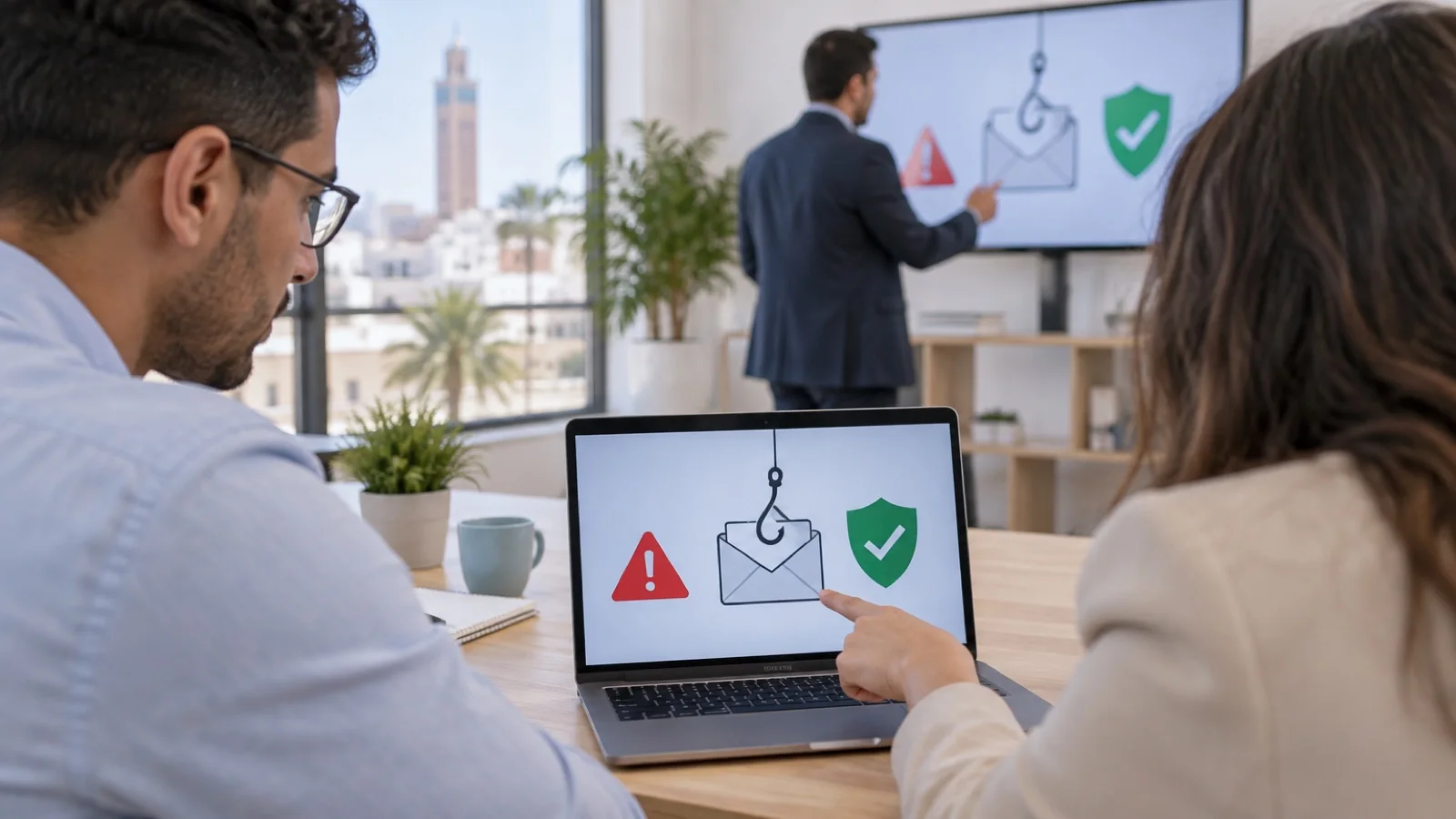
The short answer: phishing awareness training that works is an ongoing program, not one talk a year. It comes down to six steps: frame it with management and HR, give every employee a simple report button, measure a baseline with a first simulation, train in short sessions tailored to each role, repeat on a regular schedule with varied scenarios, and steer with one key metric: the share of employees who report the suspicious message. This guide covers each step, the tools available and the mistakes that make most programs fail.
At ALLSAFE SOLUTIONS, a managed IT provider in Casablanca, we set up and run these programs as part of our business cybersecurity in Morocco offer. Tool capabilities mentioned here come from vendor documentation; we quote neither prices nor statistics, which vary by source and period.
Why train employees, and why annual training is not enough
Most incidents we handle start with a message: a fake supplier bank detail change, a fake Microsoft 365 sign-in page, a booby-trapped invoice, a fake IT support request. We describe them in the 8 email scams targeting SMBs. Email filters stop many of them, but not all, and the ones that get through are often the best prepared.
A yearly classroom session has two limits. It is quickly forgotten, because reflexes are built through repetition. And it measures nothing: you do not know who would have clicked, or whether employees know what to do with a doubtful message. An ongoing program fixes both, alternating realistic exercises with short reminders, and tracking metrics from one cycle to the next.
Step 1: frame the program with management and HR
Before the first simulated email, four decisions should be written down and approved.
- The goal: get suspicious messages reported, not trap employees. This sentence belongs in the internal announcement.
- The scope: every employee with an email address, including management, interns and shared accounts used by people.
- How results are used: results tracked by department, confidential individual feedback, and no sanction linked to a simulation. Exercise data concerns identifiable people, so it falls under Morocco’s data protection law 09-08. Inform employees, restrict access to named results and set a retention period; have this framework checked by your legal adviser.
- Who is in the loop: management, HR and the IT team, which must be able to tell an exercise from a real attack when reports come in.
Then announce the program to everyone: there will be exercises during the year, here is why, here is how to report. Dates and scenarios stay confidential.
Step 2: give a one-click way to report
An employee in doubt should be able to report the message without wondering who to send it to. This is the most important part of the program, and often the most neglected.
- Microsoft 365: Outlook has a built-in button to report a message as phishing. In the Microsoft Defender portal, user reported settings let you choose where these reports go (Microsoft, an IT team mailbox, or both).
- Google Workspace: Gmail lets users report a message as phishing from its menu.
- In every case: a single internal address and a written instruction, displayed and repeated: “if in doubt, I report it; I do not delete it or forward it to colleagues”.
The employee who reports should get feedback: an automatic thank-you, then, if it was a real attack, confirmation that the message has been blocked for everyone. Without feedback, reporting stops.
Step 3: measure the baseline
The first simulation is your reference point. Pick a credible scenario of medium difficulty, close to the messages your teams really receive: shared document notification, parcel waiting, HR message. Send it to the whole scope, spread over a few days so word of mouth does not skew the result.
Record four behaviours, by department: who opened the link or attachment, who entered credentials, who reported, and how long it took for the first report to arrive. That last figure tells you how long a real campaign would circulate before the IT team is alerted.
Step 4: train in short, targeted sessions
Replace the single long training with short modules, one topic at a time, tailored to each role.
| Audience | Priority topics |
|---|---|
| All employees | Spotting a fake sender and a fake link, fake Microsoft 365 or Google portal, malicious QR codes, the reporting reflex |
| Accounting, finance, purchasing | Fake bank detail changes, fake invoices, CEO fraud, call-back procedure to a known number |
| Management and assistants | Executive impersonation, urgent and confidential requests, voice messages and WhatsApp |
| HR | Fake candidates with attachments, fake social agencies, requests for payroll data |
| Sales and mobile staff | Public Wi-Fi, fake tenders, lost phone, multi-factor authentication on mobile |
| IT team | Analysing reports, blocking a sender or URL, resetting a compromised account |
Two formats work well in SMBs: a short in-person or video session at launch, using real examples received by the company, then online modules assigned automatically after each simulation, only to those who need them.
Step 5: repeat, vary, raise the difficulty
The most common pace is monthly or quarterly, depending on company size and available time. What matters is regularity and scenario variety.
- Vary the techniques: link to a fake sign-in page, attachment, link hidden inside an attachment, link to a shared file, application permission request (OAuth consent), QR code.
- Vary the pretexts: delivery, HR, invoice, shared document, security alert, current events.
- Raise the difficulty gradually, department by department, so that nobody simply recognises “this month’s fake email”.
- Never use a pretext that plays on real pay, a bonus or a sensitive company topic: the exercise must remain acceptable to employees.
The tools available
| Tool | What it does | Conditions published by the vendor |
|---|---|---|
| Microsoft Attack simulation training | Simulations (credential harvest, malware attachment, link in attachment, link to malware, drive-by URL, OAuth consent grant, QR code), landing pages, assigned training, reports, automations | Microsoft 365 E5 or Microsoft Defender for Office 365 Plan 2; limited trial for E3 customers |
| Kaspersky Automated Security Awareness Platform | Automated online training paths with built-in phishing simulations | Platform subscription, several tiers according to the vendor |
| Specialised awareness platforms | Module and scenario libraries, reports | Depends on the vendor |
| Exercises run by the managed IT provider | Tailored scenarios, results by department, link with real incidents | Framed and approved in writing by management |
A point to watch with Microsoft 365: Microsoft states that Business Premium includes Defender for Office 365 Plan 1, whereas simulations belong to Plan 2. Check your licences before building the program, as explained in Microsoft 365 Business Basic, Standard or Premium. Simulated messages must also be allowed through your email filters, otherwise the exercise is blocked upstream and measures nothing.
Step 6: steer with the right metrics
| Metric | What it measures | What you want |
|---|---|---|
| Reporting rate | Share of recipients who report the message | Rising from one cycle to the next |
| Time to first report | Time before the IT team is alerted | Falling |
| Click rate | Share of recipients who open the link or attachment | Falling, for comparable scenarios |
| Credential entry | Share of those who go as far as giving their password | As low as possible, top priority |
| Training completed | Share of assigned modules actually completed | Close to all of them |
| Repeat clickers | People caught several cycles in a row | One-to-one support |
Always compare scenarios of similar difficulty: a click rate that falls because the message was cruder proves nothing. Present results to management by department, without names, with one or two actions for the next cycle.
The mistakes that make a program fail
- Shaming “clickers”: circulated lists, remarks in meetings, sanctions. Employees then stop reporting, including real attacks.
- Measuring clicks only and forgetting reporting, which is the reflex that actually helps.
- Always the same scenario, quickly recognised, giving a false sense of progress.
- Leaving management out: it is often the most targeted and least trained group.
- Not telling the IT team, which then treats the exercise as a real incident, or ignores a real attack launched the same day.
- Relying on training alone: one day, someone will click. Technology must limit the damage.
Training does not replace technology
Awareness reduces the number of clicks; technical protection limits the consequences of the click that will eventually happen. The two go together:
- Multi-factor authentication on email and all remote access, see our MFA rollout guide.
- SPF, DKIM and DMARC on your domain, so nobody can send in your name, see protecting your email domain.
- Email security settings, detailed in secure Microsoft 365 in 10 settings.
- Monitored EDR on endpoints, to block a malicious attachment, see managed EDR and 24/7 monitoring.
- Immutable, tested backups, the last line of defence against ransomware.
- A written procedure: no change of bank details and no urgent transfer without a call-back to a known number and approval by a second person.
If an employee really clicked
The instruction must be known to everyone and fit in a few lines: alert the IT team immediately, without shame or fear of sanction; do not switch the computer off, but disconnect it from the network if asked; change the password from another device if credentials were entered. On the IT side: revoke sessions, check mailbox forwarding rules, search other mailboxes for the same message and delete it, block the sender and the URL. The earlier the report, the more effective these steps are: that is the whole point of the program.
Checklist to launch your program
- Goal, scope and use of results approved by management and HR.
- Employees informed and data handling framework compliant with law 09-08.
- Report button active in the mailbox and a single internal address.
- Licences and simulation tool checked, simulated messages allowed through filters.
- Baseline simulation, results by department.
- Short role-based modules, assigned after each exercise.
- Yearly calendar of cycles, varied scenarios.
- Dashboard: reporting, time to report, clicks, credential entry, training completed.
How we work
We start with a free initial audit of your email and protection: licences, filtering, SPF, DKIM and DMARC, multi-factor authentication, report button. We then frame the program with your management and HR, launch the baseline simulation, and run the following cycles with results by department. Employee reports reach our team, which monitors your environment 24/7 and handles a critical incident in under 15 minutes. The program fits into our managed IT services in Morocco or complements your existing IT team.
With Kaspersky, of which we are a Registered B2B Partner, or with Microsoft’s tools as a Microsoft partner, we choose the tool that matches your licences. Request your free initial audit: we reply within 24 business hours.
Frequently asked questions
Should employees be warned before a phishing simulation?
Announce the program, not each simulation. Employees know that exercises will take place during the year, what they are for and how results will be used. Dates and scenarios stay confidential, known only to management, HR and the IT team; otherwise the exercise no longer measures anything.
Which tool can run simulations with Microsoft 365?
Microsoft offers Attack simulation training in the Microsoft Defender portal. According to Microsoft’s documentation, it requires a Microsoft 365 E5 or Microsoft Defender for Office 365 Plan 2 licence. It can simulate credential harvesting, malware attachments, links to malware, OAuth consent grants or QR codes, and then automatically assign training.
What about an employee who clicks in every simulation?
Train them, do not punish them. Offer one-to-one support, extra short modules and, if their role is exposed (accounting, purchasing, management), stronger technical protection: phishing-resistant multi-factor authentication, stricter filtering, limited rights. Public sanctions destroy trust and reporting drops.
Which metric matters most?
The reporting rate, meaning the share of employees who report the suspicious message, and the time to the first report. A falling click rate is encouraging, but fast reporting is what lets the IT team block a real campaign before it reaches the whole company.
Is awareness training enough to protect an SMB from phishing?
No. It reduces the risk but does not remove it: one day, someone will click. It must rest on technical protection (email filtering, SPF, DKIM and DMARC, multi-factor authentication, EDR, immutable backups) and on procedures, especially two-person approval of any change of bank details.
About the editorial team
ALLSAFE SOLUTIONS
Network, security and cloud engineers
Written by the engineering team at ALLSAFE SOLUTIONS, a managed IT provider founded in Casablanca by network, security and cloud engineers. Our articles draw on the projects we deliver for clients in Morocco and abroad.
LinkedIn