
















FortiGate for SMBs: which model to choose, 40F, 60F, 70F, 90G, and which licence
Real throughput with inspection on, user count, ports, WiFi, SD-WAN, FortiCare, UTP and ATP bundles: our grid for choosing a FortiGate without undersizing it.
You need to replace the carrier’s router or an ageing firewall, and your integrator is proposing a FortiGate. Fortinet’s catalogue has dozens of models, quotes are hard to compare, and the datasheet highlights a “firewall” throughput you will never reach. For a managing director or office manager at an SMB, the question is simple: which appliance actually protects the business, without paying for power you do not need or hitting saturation within a few years? As a Fortinet partner since 2021, here is how we size a FortiGate for an SMB, which licence to take, and the mistakes we fix most often.
The only number that matters: throughput with inspection
A FortiGate 60F advertises 10 Gbit/s of firewall throughput. With SSL inspection, antivirus, web filtering and intrusion prevention enabled, the “Threat Protection” throughput drops to around 700 Mbit/s. That is the figure to compare with your fiber link and your internal traffic, not the first one.
Why such a gap? Firewall throughput measures an appliance that simply allows or blocks connections. As soon as you ask it to do its real job, that is, open encrypted traffic, compare it against threat signatures, check the reputation of the sites visited and recognise applications, every packet costs far more processing. Most web traffic is now encrypted: a firewall that does not inspect it lets most of what enters the business through blind.
Threat Protection throughput is therefore the only honest basis for comparing models. If your supplier presents an appliance quoting only firewall throughput, ask for the figure with inspection enabled.
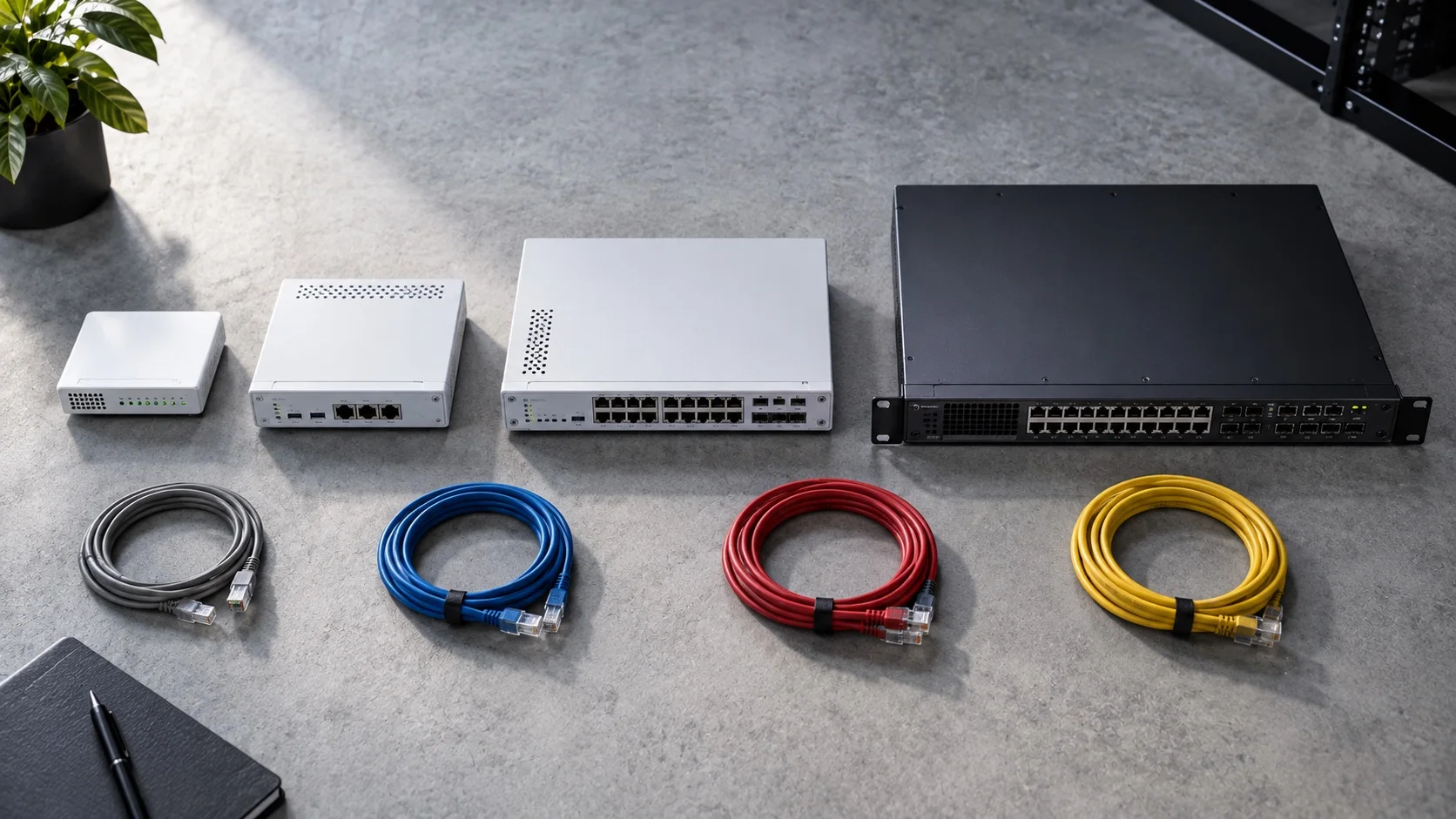
Our grid by company size
| Model | Users | Protection throughput | Strengths |
|---|---|---|---|
| FortiGate 40F | up to 15 | ~ 400 Mbit/s | Compact, fanless, ideal for a branch or small practice |
| FortiGate 60F | 15 to 40 | ~ 700 Mbit/s | 10 ports, SD-WAN, our most common choice |
| FortiGate 70F | 40 to 80 | ~ 1 Gbit/s | More power, extra ports |
| FortiGate 90G | 80 to 150 | ~ 2 Gbit/s | 2.5 GbE and SFP+ ports, recent generation |
| FortiGate 120G | 150 to 300 | ~ 3 Gbit/s | Rackmount, multi-site headquarters |
This grid is a starting point, not an absolute rule. It assumes typical office use: email, web applications, file sharing, video calls. An engineering firm exchanging large files, a clinic with imaging, or a site hosting servers exposed to the internet should be sized one step up.
F-suffix models embed a WiFi access point, handy for a small site, insufficient beyond fifteen users, where dedicated access points are needed, as we explain in high-density enterprise WiFi.
What changes the sizing
User count gives an order of magnitude. Five other criteria move you up or down a model.
Remote work and VPN
Add 30% to the current user count, and count remote work: each SSL or IPsec VPN tunnel consumes capacity. A site with 40 people in the office and 20 remote is sized like an 80-person site. Branches connected to headquarters by VPN count too: the headquarters appliance carries all the tunnels.
Your internet link or links
Protection throughput must cover the sum of the active links. If you add a second fiber or 4G failover to stop suffering outages, the FortiGate balances traffic across the links with SD-WAN and must be able to inspect the total. Business fiber choices should be made before the firewall choice, not after.
Segmentation and internal traffic
When you separate endpoints, servers, cameras, telephony and guest WiFi into distinct networks, which is good practice, traffic between those networks goes through the FortiGate. A nightly backup or access to files on the server then adds to internet traffic. This internal traffic, forgotten at quote time, is often what saturates an undersized appliance.
Ports and connectivity
Count the links to plug in: fibers, 4G failover, switches, directly connected servers, a link to a second appliance. Recent models offer 2.5 GbE and SFP+ ports, useful if your internal network is moving beyond gigabit speeds.
High availability
If a firewall outage stops all activity, plan a high-availability pair: two identical appliances, one taking over if the other fails. Fortinet requires cluster members to be the same model, running the same firmware. Clarify the pair’s licensing model in the quote: depending on the model, you need a licence per appliance or a dedicated high-availability SKU.
Licences, without jargon
The appliance alone does almost nothing: protection comes from the subscriptions.
- FortiCare: vendor support and hardware replacement, essential.
- UTP, Unified Threat Protection: antivirus, web filtering, intrusion prevention, application control, DNS filtering, anti-botnet. The standard bundle for an SMB.
- ATP, Advanced Threat Protection: UTP without web filtering and application control, for sites that do not need them.
- Enterprise Protection: adds sandboxing, ransomware isolation and IoT security, for sensitive sites.
| Bundle | For whom | Our view |
|---|---|---|
| FortiCare only | No real security use | Avoid: the appliance filters almost nothing |
| ATP | Site with no need for web filtering or application control | Rare in SMBs, where browsing must be filtered |
| UTP | The vast majority of SMBs and branches | The default choice |
| Enterprise Protection | Sensitive sites: healthcare, finance, critical data | Justified when ransomware exposure is high |
Over three years, the licence is 50 to 65% of total cost. An appliance bought without a bundle is an expensive router. Compare quotes on the full three-year cost, hardware and licences, and note the renewal date: an expired licence cuts the appliance off from protection updates, often without anyone noticing.
Our method, step by step
- Inventory users, devices, sites and remote workers, today and over the coming years.
- Measure real traffic rather than guessing it: internet links, usage peaks, flows between servers and endpoints.
- Apply the 30% headroom and count each remote user as an additional user.
- Choose the model on throughput with inspection, checking it covers the sum of the links and segmented internal traffic.
- Choose the bundle, UTP by default, Enterprise Protection for sensitive sites.
- Plan the deployment: rule migration, segmentation, SD-WAN, updates and monitoring.
The mistakes we fix most
- A 40F for 60 users, chosen on price: inspection disabled “because it slows things down”, so no protection at all.
- SSL inspection in certificate-only mode: half the threats pass through encrypted traffic. This mode only reads the certificate of the site visited, not the content exchanged.
- A single internet link, with no SD-WAN or 4G failover, although the FortiGate handles it natively, see our SD-WAN article.
- Firmware never updated since installation, although firewall security fixes are released regularly.
- No segmentation: endpoints, servers, cameras and guest WiFi on the same network.
- “Allow all” rules created to fix a problem one day and never removed.
- An administration interface reachable from the internet, protected by a password alone.
Checklist before ordering
- Current user count, 30% headroom included, and number of remote workers.
- The model’s Threat Protection throughput, compared with the sum of your internet links.
- Internal traffic between segmented networks taken into account.
- Required ports listed: fibers, 4G failover, switches, servers.
- Built-in WiFi or dedicated access points, depending on site size.
- Licence bundle chosen, with FortiCare, and renewal date recorded.
- Whether or not a high-availability pair is needed.
- A plan for migrating existing rules and updating firmware.
What our deployment includes
Real traffic audit, model and bundle selection, migration of existing rules, as for a migration from pfSense, segmentation, SD-WAN and monitoring in our console. All within our network infrastructure offer, with a transparent hardware and licence quote. To size your next firewall from your real traffic, contact us.
Frequently asked questions
What real throughput can I expect from a FortiGate 60F?
The 60F advertises 10 Gbit/s of firewall throughput, but with SSL inspection, antivirus, web filtering and IPS enabled, its Threat Protection throughput drops to around 700 Mbit/s. That is the figure to compare with your fiber link.
Which FortiGate licence should an SMB buy?
FortiCare is essential for support and hardware replacement. The UTP bundle (antivirus, web filtering, IPS, application control, DNS filtering, anti-botnet) is the SMB standard; Enterprise Protection adds sandboxing and ransomware isolation for sensitive sites.
How much of a FortiGate's total cost is the licence?
Over three years, the licence is 50 to 65% of total cost. An appliance bought without a security bundle is just an expensive router.
Is a FortiGate's built-in WiFi enough for an office?
The built-in access point is fine for a small site but becomes insufficient beyond fifteen users. Dedicated access points are then needed.
About the editorial team
ALLSAFE SOLUTIONS
Network, security and cloud engineers
Written by the engineering team at ALLSAFE SOLUTIONS, a managed IT provider founded in Casablanca by network, security and cloud engineers. Our articles draw on the projects we deliver for clients in Morocco and abroad.
LinkedIn