MDM in Morocco: managing and securing your company’s business smartphones
Enrolment, inventory, apps, remote lock and wipe, BYOD, Android Enterprise, Apple Business, Intune, Kaspersky and law 09-08: the MDM guide for Moroccan businesses.
The short answer: an MDM (Mobile Device Management) is the console that tells you which smartphones access company data, lets you install business apps on them, enforce a lock screen passcode and encryption, and remotely lock or wipe a lost or stolen phone. To get it right, make three decisions in this order: separate company-owned devices from personal phones (BYOD), choose the right enrolment method (Android Enterprise, Apple Business), then choose the tool, starting with the one you may already own, such as Kaspersky Next or Microsoft Intune. And do not forget Morocco’s law 09-08: a business smartphone holds your employees’ personal data.
At ALLSAFE SOLUTIONS, we deploy and operate MDM for businesses in Morocco, as a Kaspersky Registered B2B Partner and a Microsoft partner. The features quoted here come from the vendors’ published documentation.
Why smartphones have become the weak link
A salesperson’s or a manager’s smartphone often gives access to email, Teams or WhatsApp, shared files, the ERP or CRM, and serves as a second authentication factor. Yet in many SMBs, nobody knows how many phones access company data, or which ones even have a lock screen passcode. The concrete risks:
- Loss or theft: a phone with no passcode and no encryption is a mailbox and client files open to anyone who picks it up.
- An employee leaving: without MDM, there is no clean way to recover business data from the phone.
- Dubious apps and operating systems that are never updated.
- Phishing by SMS and WhatsApp, which we cover in the scams targeting Moroccan SMBs.
What an MDM actually does
| Feature | What it is for |
|---|---|
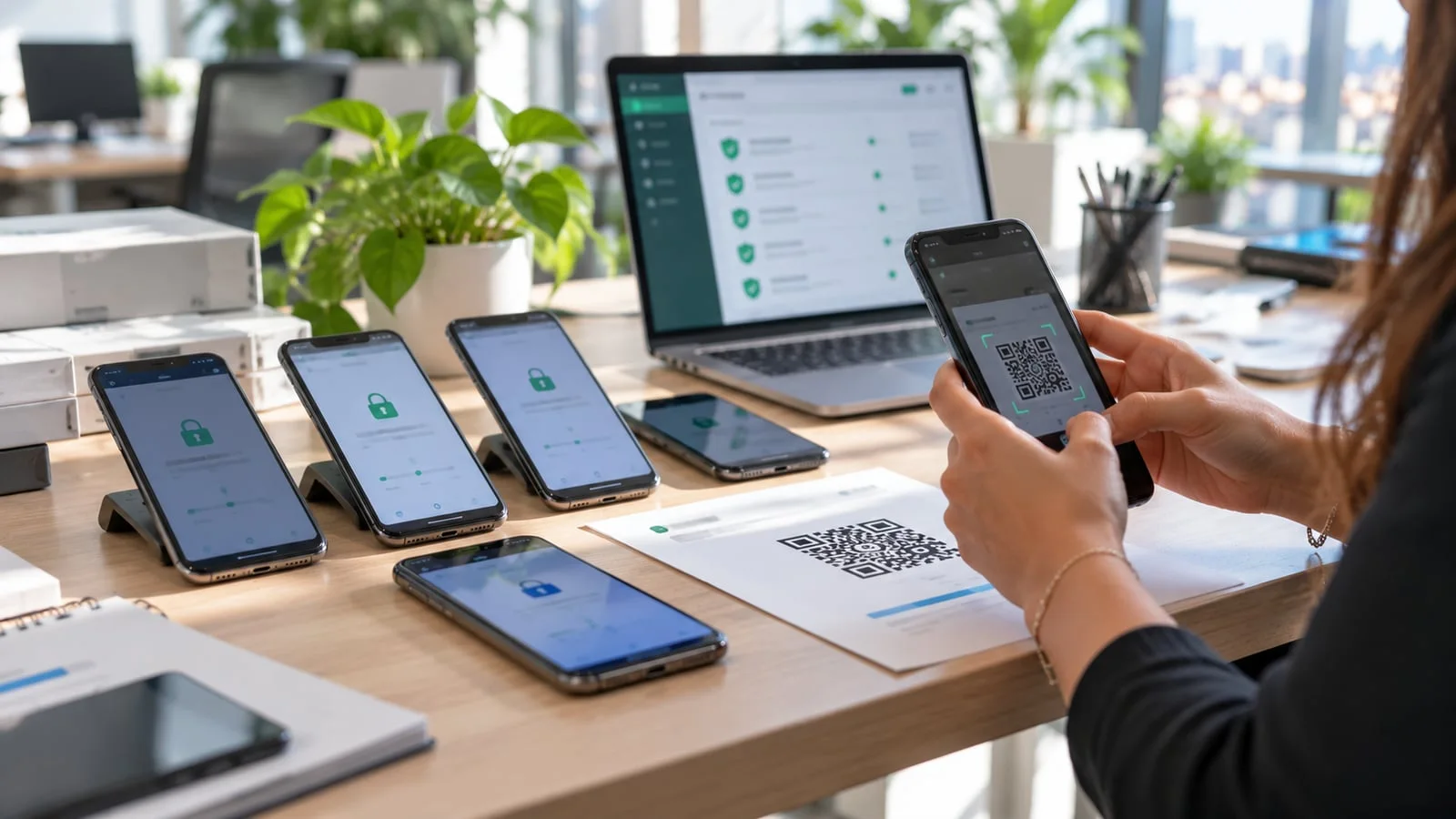
| Enrolment | Linking the phone to the console, by QR code, work account or automatically at first start-up |
| Inventory | Knowing which device, which model, which OS version, which user |
| Security policies | Enforced passcode, encryption, blocking apps from unknown sources |
| Apps | Installing, updating and removing business apps remotely |
| Configuration | Company Wi-Fi, email, VPN, certificates, with no action from the user |
| Compliance | Spotting a non-compliant phone (outdated OS, modified device) and cutting its access |
| Remote actions | Lock, locate, ring, wipe business data or the whole phone |
Company devices or BYOD: the decision that shapes everything
| Company-provided device | Personal phone (BYOD) | |
|---|---|---|
| Control | Full: apps, settings, updates | Limited to the work space |
| Remote wipe | The whole phone | Business data only |
| Privacy | Personal use regulated or banned | Personal side invisible to the company |
| Android mode | Fully managed, or company-owned with work profile | Work profile on a personal device |
| Apple mode | Supervised device via Apple Business | User enrolment for personal devices |
| For whom | Sales staff, field technicians, management, sensitive data | Staff who only read email and Teams |
Our position: as soon as a phone accesses sensitive data or is a main work tool, it should belong to the company. BYOD remains acceptable for email and collaboration, provided business data is isolated.
Android Enterprise: the enrolment modes
Android Enterprise is Google’s management framework, supported by the main MDM products. Microsoft documents the following modes for Intune, and they are common across the market:
- Work profile on a personal device (BYOD): a separate work space, marked with a briefcase icon; the company only manages that space.
- Fully managed: company device, a single user, work use only.
- Company-owned with work profile: a company device that allows separate personal use.
- Dedicated device: a terminal with no assigned user, in kiosk mode, for logistics, order taking or signatures.
Company modes require a factory-reset phone, then enrolment by QR code, NFC, token, Google Zero-Touch or Samsung Knox Mobile Enrollment if the device was bought through a compatible channel. The old “device administrator” mode has been dropped by Google and Microsoft: if you still use it, you need to migrate. On the Kaspersky side, the documentation states that on Android 14 and later, some wipe actions are only available in “device owner” mode, meaning on a fully managed company phone.
iPhone: Apple Business and the supervised device
Since April 2026, Apple has merged Apple Business Manager, Apple Business Essentials and Apple Business Connect into a single platform, Apple Business, which includes basic built-in device management. For a fleet of company iPhones, the benefit is twofold: devices bought through a linked channel are enrolled automatically at first start-up, and they become supervised, which unlocks more restrictions and prevents the user from removing management.
For a mixed Android and iPhone fleet, or to go further (compliance, conditional access, business apps), you connect Apple Business to a third-party MDM. In every case, you need a valid Apple Push Notification service (APNs) certificate to manage iPhones: letting it expire is a classic failure that cuts management of every device at once.
MDM solutions: start from what you already have
| Solution | Strengths | When to choose it |
|---|---|---|
| Kaspersky Next | Computers, servers and mobiles in one console; anti-theft, app control and anti-malware on Android | You already use Kaspersky on your workstations |
| Microsoft Intune | Built into Microsoft 365 and Entra ID, conditional access, data protection inside apps without enrolment | You are on Microsoft 365 Business Premium |
| Apple Business | Automatic enrolment and supervision of iPhones, basic built-in management | 100% Apple fleet, simple needs, or alongside an MDM |
| Other MDM products | Multi-platform specialists, advanced kiosk mode | Specific needs, large fleets of dedicated devices |
Kaspersky Next, according to the vendor’s documentation, covers enforced passcode, anti-theft for Android, iOS and iPadOS (lock, locate, wipe), anti-malware, app and compliance control on Android, web control on Android and supervised iPhones, and Wi-Fi configuration. We compare the editions in Kaspersky for business: which edition to choose.
Microsoft Intune is included in Microsoft 365 Business Premium. Its strengths: conditional access, which refuses email to a non-compliant phone, and app protection policies, which encrypt and isolate data in Outlook or Teams even on an unenrolled personal phone. See Microsoft 365 Business Basic, Standard or Premium.
The right reflex: check your current licences before buying an MDM. In one of our projects, the solution chosen was already included in the client’s security licence; see our case study a secure, remotely managed mobile fleet.
Rolling out an MDM without upsetting users
The technology is rarely the hard part; adoption is. What works for us:
- Explain before enrolling: what the company sees, what it does not see, and why. A short, plain-language note avoids most refusals.
- Start with a pilot group, ideally including a manager, to validate policies and apps before going wide.
- Enrol company phones on handover: a new or reset phone is enrolled before it reaches the user, who receives it ready to use.
- Give a step-by-step guide with screenshots for personal phones, and a contact for help.
- Tighten gradually: start with passcode and encryption, then add app restrictions and compliance rules.
Law 09-08: what the employer must respect
A managed smartphone holds the employee’s personal data: identity, number, apps, sometimes location. Law 09-08 and the CNDP impose several principles:
- Legitimate purpose and proportionality: securing company data, yes; monitoring the employee’s private life, no.
- Prior information of employees, ideally through a signed mobile device policy explaining what the company can and cannot see.
- Formalities with the CNDP for the processing, to be added to your register.
- Regulated geolocation: the CNDP has set conditions for geolocating vehicles used by employees. For phones, we recommend the same caution: location reserved for finding a lost or stolen device, not continuous tracking of people. Have your policy validated by a lawyer.
- Minimisation for BYOD: with a work profile, the company sees neither photos, nor messages, nor personal apps. That is also the argument that reassures employees.
Mistakes we fix on MDM deployments
- Enrolling personal phones in full management mode, with the ability to wipe an employee’s photos.
- No offboarding procedure: the phone leaves with the mailbox and files.
- An expired APNs certificate, or one created with a former employee’s personal email.
- A passcode “recommended” but not enforced.
- Phones bought outside automatic enrolment channels, which then have to be reset one by one.
- No link between MDM and access: a non-compliant phone keeps reading email, whereas a Zero Trust approach requires checking the device.
- An authenticator app with no backup on a phone that gets lost, see rolling out MFA.
Checklist to launch your MDM
- Inventory of smartphones and tablets: company or personal, Android or iPhone, models and versions.
- List of data and apps accessible from mobiles.
- Existing licences: Kaspersky, Microsoft 365 Business Premium, others.
- Enrolment mode for each device category.
- Apple Business account and APNs certificate, created with a company account.
- Policies: passcode, encryption, updates, allowed apps.
- Mobile policy for employees and CNDP formalities.
- Procedures for arrival, loss, theft and departure.
How we do it
We start with a free audit of your fleet and licences, to choose the solution without unnecessary purchases. We then prepare policies, apps and configuration, and enrol phones in waves, with a step-by-step QR code guide for users. The loss or theft procedure is written down and tested: one call to our support is enough to lock or wipe a device. Compliance alerts feed into our 24/7 monitoring, and a critical incident is handled in under 15 minutes.
Discover our business cybersecurity offering and the mobile fleet MDM case study, then request your free initial audit: we reply within 24 business hours with a proposal tailored to your fleet.
Frequently asked questions
What is an MDM and what does it do for an SMB?
An MDM (Mobile Device Management) is a console that remotely manages the company’s smartphones and tablets: inventory, enforced lock screen passcode, business apps installed and updated, Wi-Fi and email settings, lock and wipe if a device is lost or stolen. It stops a lost phone from becoming a data leak.
Can we manage an employee’s personal phone (BYOD)?
Yes, but in a limited and separate way. On Android, the work profile isolates company apps and data; the administrator can neither see nor wipe the personal side. On iPhone, user enrolment for personal devices plays a similar role. Microsoft Intune can also protect data inside apps without enrolling the phone.
Kaspersky or Microsoft Intune to manage our mobiles?
If you already have Kaspersky Next licences for your computers, mobile management is available in the same console, with no extra software. If you are on Microsoft 365 Business Premium, Intune is included and integrates with conditional access. We start from what you already own before buying anything.
Does law 09-08 allow an employer to track business smartphones?
Law 09-08 requires a legitimate purpose, proportionality, prior information of employees and the formalities with the CNDP. The CNDP has regulated the geolocation of company vehicles; for phones, apply the same principles: location reserved for finding a lost device, not for continuous tracking of people, and legal validation.
How long does an MDM rollout take?
It depends on the number of devices, their state (new or already in use) and the enrolment method chosen. A company phone often has to be factory reset to become managed. We plan the rollout in waves, with a step-by-step guide for users, and give you a precise schedule after the free initial audit.
About the editorial team
ALLSAFE SOLUTIONS
Network, security and cloud engineers
Written by the engineering team at ALLSAFE SOLUTIONS, a managed IT provider founded in Casablanca by network, security and cloud engineers. Our articles draw on the projects we deliver for clients in Morocco and abroad.
LinkedIn